

AWS is attractive for video broadcasting because it gives streaming teams fast infrastructure launch, broad regional placement, predictable scaling options, and a cleaner path to running media workflows without buying and maintaining physical hardware first. For live video, that matters because launch speed, network quality, and the ability to add capacity quickly often affect reliability more than the player-facing features people notice later.
The practical point is not that cloud magically solves streaming. It does not. What AWS changes is the starting position: faster deployment, easier geographic reach, better infrastructure optionality, and a cleaner way to test, launch, and adjust a broadcasting stack as the workflow grows. If you want the fastest direct path, use Callaba on AWS Marketplace. If you want the broader cloud launch walkthrough first, start with how to launch Callaba Cloud on AWS.
This guide focuses on what actually changes when video broadcasting moves onto AWS: setup speed, bandwidth confidence, regional placement, scaling, reliability planning, and the trade-off between cloud convenience and operational responsibility.
Fast start and low infrastructure barrier
One of the biggest advantages of AWS for broadcasting teams is speed of deployment. Instead of ordering hardware, preparing a rack, waiting for networking, and then installing the media stack, a team can launch an instance quickly and start building the workflow the same day.
That matters most in three cases:
- you need to validate a new broadcasting workflow quickly
- you need an event, customer, or region-specific deployment without buying permanent infrastructure first
- you want to compare cloud deployment against self-hosted operations before committing long term
For many teams, this is the real first benefit: the path from account creation to a working media environment is shorter and easier to control than with traditional infrastructure procurement.
Why AWS helps with real video transport workflows
Broadcasting systems depend on reliable transport, not only on application logic. In practice, that means ingest protocols, relay paths, firewall behavior, and the physical distance between endpoints all affect whether the stream feels stable or fragile.
AWS helps here because the network environment is usually easier to work with than ad hoc hosting or mixed on-prem deployments. Teams can stand up controlled endpoints for SRT, RTMP ingest, or broader relay workflows without spending the first half of the project fighting random hosting limits.
If your workflow depends on transport resilience, regional placement, or routing one clean feed into several outputs, cloud infrastructure usually makes the network side more manageable even though it does not remove the need for good stream design.
Good bandwidth is useful, but headroom is what matters
In video broadcasting, average bandwidth is less important than safe headroom. A stream can look healthy for most of the session and still fail when the event gets busy, when multiple outputs start at once, or when a processing stage needs more room than expected.
AWS is useful because instance sizing and network capacity are easier to reason about than on many generic hosting products. That does not mean every instance is equivalent. It means teams can choose a machine profile that matches the workload instead of squeezing a broadcasting stack into a random low-cost server with weak network behavior.
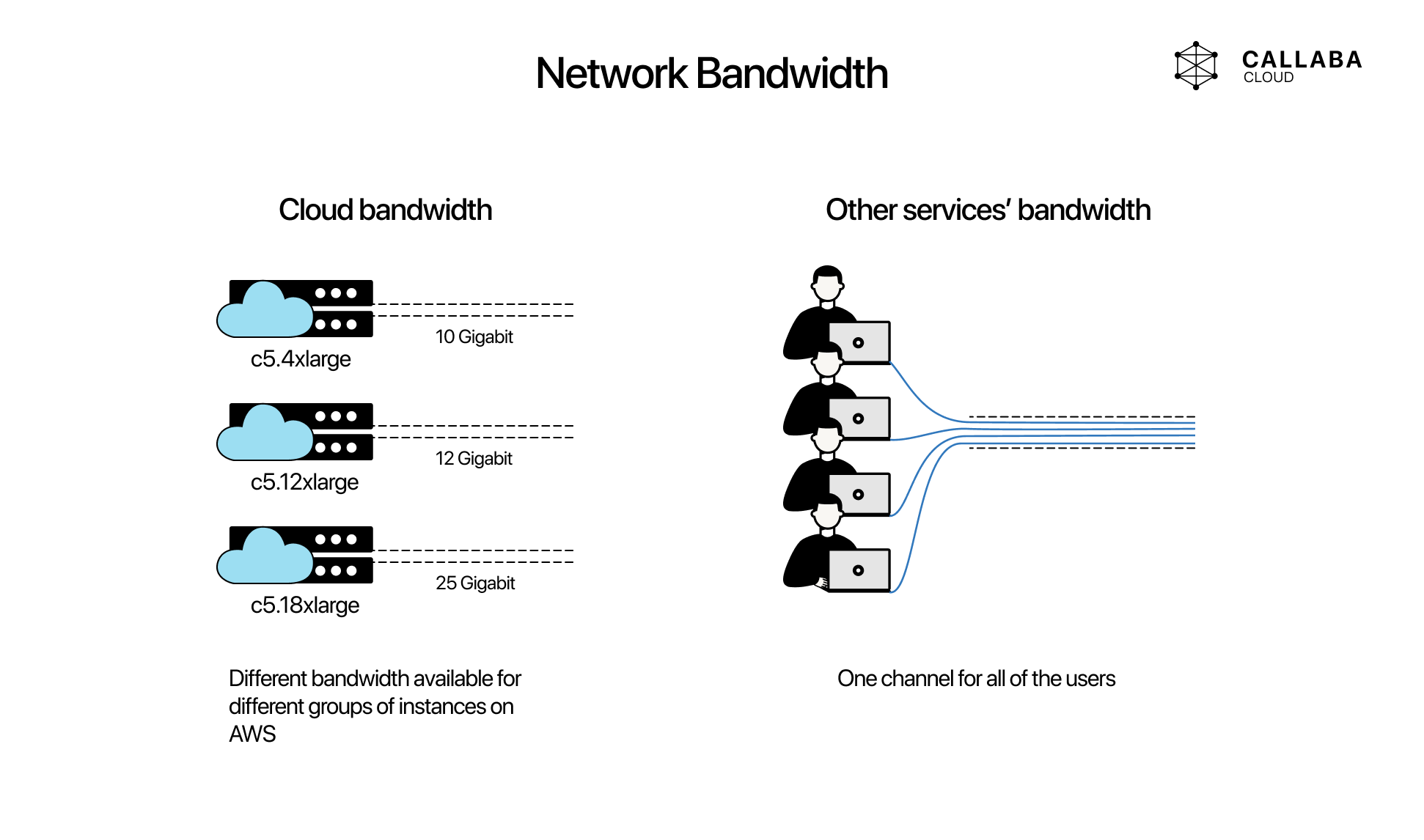
If your workflow includes transcoding, routing, recordings, conferencing, or multi-destination output, bandwidth should be treated together with CPU, RAM, storage, and regional placement. Broadcasting problems are usually resource-combination problems, not single-number problems.
Regional deployment is not a detail
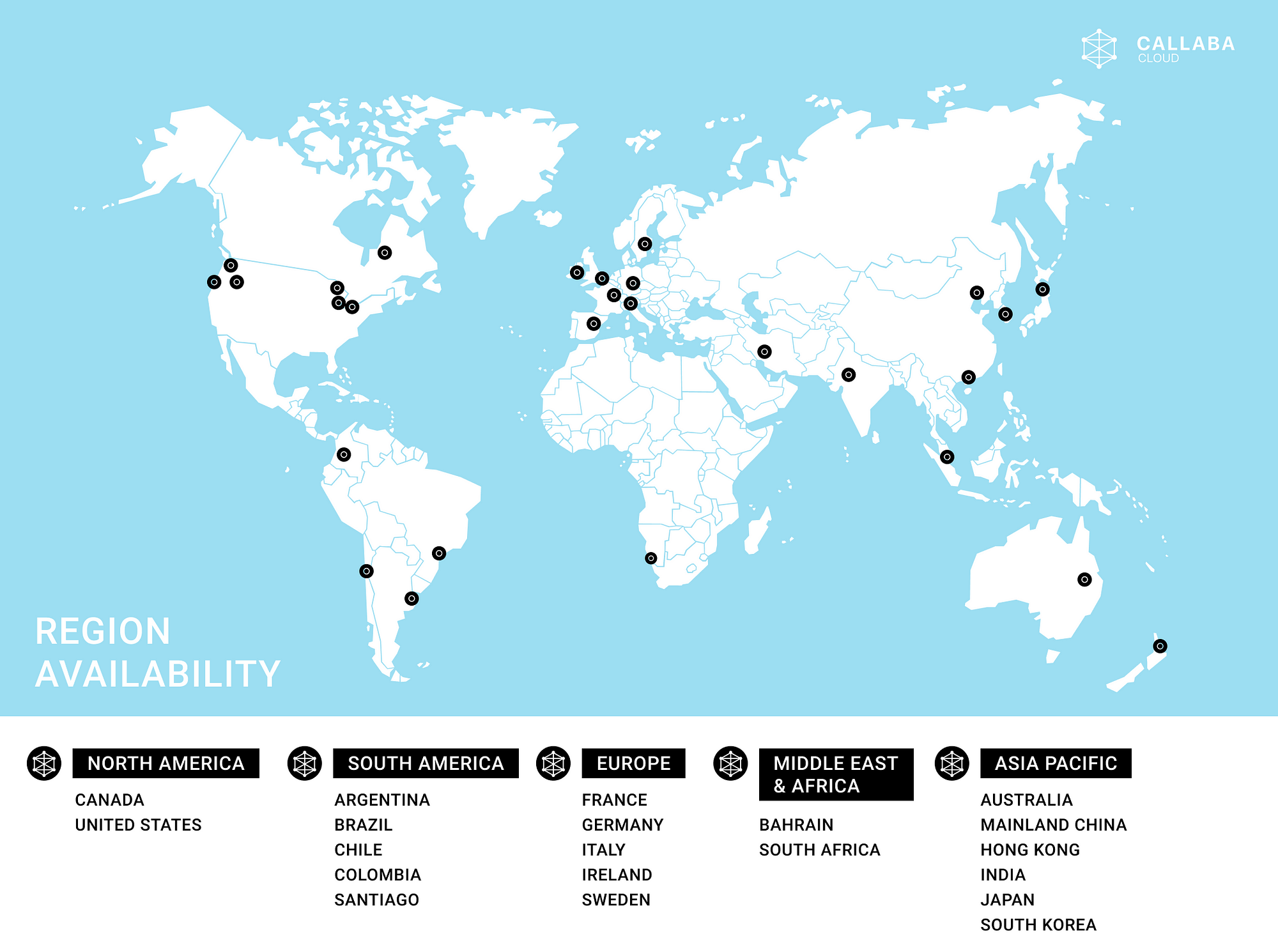
AWS regions matter because video delay, ingest stability, and operator experience all improve when the media system is placed closer to the real source or the main audience region. This is not just about viewers. It also affects contribution paths, monitoring paths, and how much transport stress exists before the stream even reaches the player layer.
That is why region choice should be driven by workflow logic:
- place the system close to the live source when contribution reliability matters most
- place it close to the main audience or partner region when delivery delay and operations visibility matter most
- use multiple regions or linked deployments when resilience and geographic reach are part of the product
Scaling options are one of the real cloud benefits
Video broadcasting does not stay static for long. One event needs a small system. The next one needs more outputs, recordings, or heavier processing. That is why AWS is attractive: it gives teams more than one scaling path instead of forcing every change into a hardware replacement cycle.
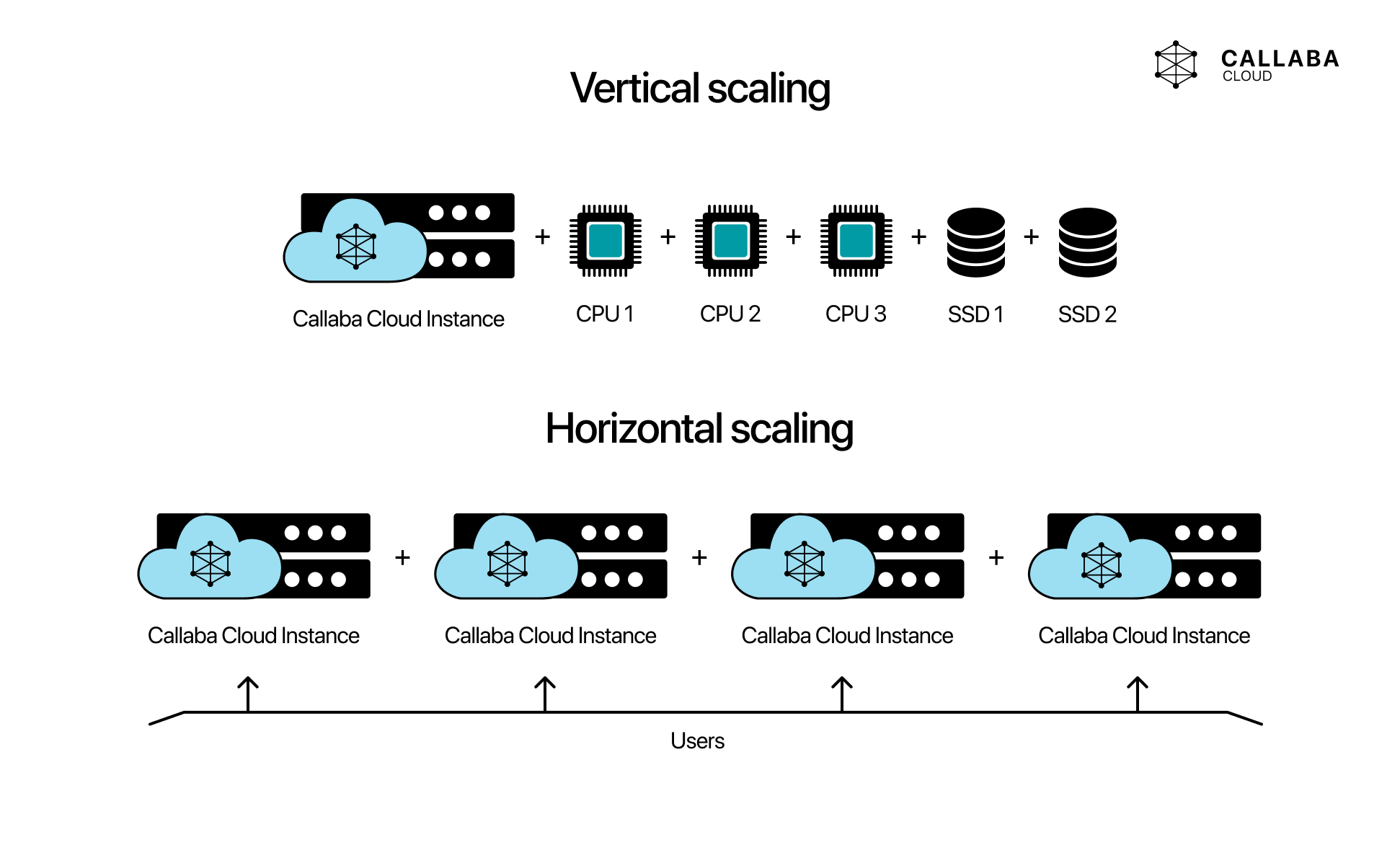
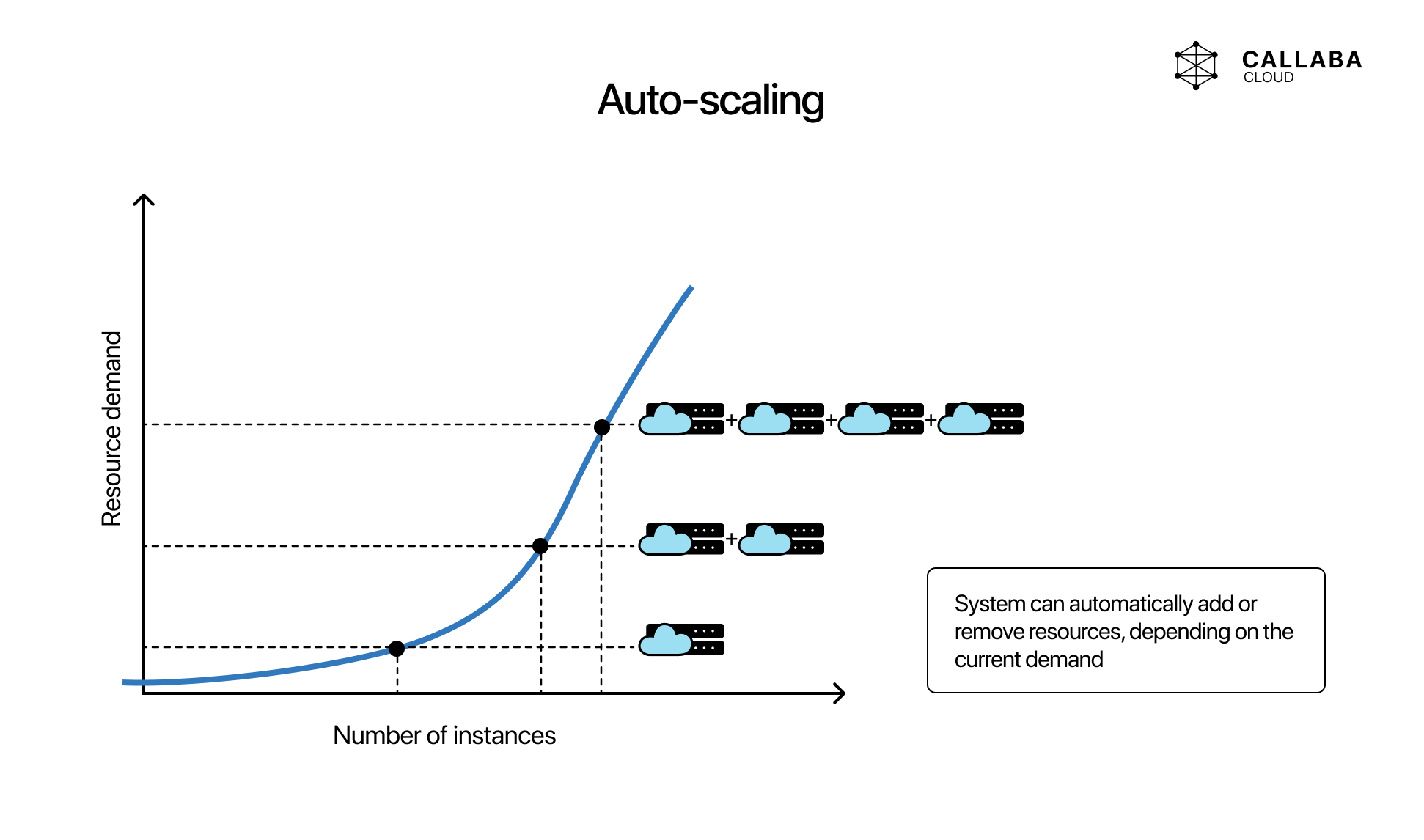
The useful scaling models are:
- vertical scaling: move to a larger instance when a single node needs more headroom
- horizontal scaling: add more nodes when the system needs more separation, redundancy, or workload distribution
- auto-scaling: let supporting layers react automatically when the workload changes and the architecture supports that pattern
Scaling helps most when the architecture already has a clear boundary between ingest, processing, API logic, playback-related workflows, and operational monitoring. Cloud does not design the system for you, but it makes change easier once the design is sound.
Reliability is easier to design, not automatic
AWS makes reliability easier to design because the platform gives teams more control over regions, instance sizing, storage, backups, and redundancy patterns. But the important phrase is easier to design, not guaranteed by default.
Reliable broadcasting still depends on practical decisions:
- how ingest is protected against weak contribution paths
- how failover works when an input, instance, or region degrades
- how recordings and media state are retained
- how quickly the team can detect and respond to failure
If you need contribution-layer resilience rather than just cloud hosting, the more relevant next step is often main and backup SRT failover, not simply launching a bigger server.
Pay-as-you-go is useful when the workload is uneven
Cloud economics matter most when video usage is uneven. If your team runs bursts of events, temporary environments, customer-specific deployments, or region-by-region launches, AWS is often financially easier to justify than buying permanent capacity for peak demand.
The benefit is not that cloud is always cheaper. It is that cloud lets the cost model follow the shape of the workload more closely. That is especially useful in event-heavy broadcasting, experimental deployments, or staged product rollout.
What AWS does not remove
AWS is still infrastructure, not a finished broadcasting product. Teams still own architecture decisions, observability, security boundaries, codec choices, scaling logic, and operational runbooks unless a managed media layer sits on top.
That is why the best practical model is often:
- AWS as the infrastructure base
- a focused streaming platform on top of it
- clear operational ownership for ingest, routing, recordings, API workflows, and playback-related controls
If the team wants infrastructure control without rebuilding every streaming component from scratch, that is where Multi-Streaming, Video API, and Video on Demand become the practical next layers.
When AWS is the right choice for broadcasting
AWS is usually a strong fit when:
- you need to launch quickly without waiting for hardware procurement
- you need regional flexibility
- your workload grows unevenly or by event
- you want cleaner bandwidth and infrastructure headroom than generic hosting offers
- you want to compare cloud deployment against full self-hosted operations
If the real requirement is long-term infrastructure ownership under your own Linux operations, then self-hosted installation on Linux may be the better endpoint. If the requirement is faster deployment and lower operational drag, AWS is usually the easier starting point.
Final practical rule
The real benefit of AWS for video broadcasting is not that it makes streaming simple. It is that it makes deployment, regional placement, scaling, and infrastructure change easier to control. Teams still need a good media architecture, but they can get to that architecture faster and adjust it more safely when the workflow grows.
