
Pick a first workflow
Self-hosted Callaba runs on a Linux host your team operates. Start with one complete path: a sender, the Callaba function it reaches, and the receiver or viewer that must work. That is the path to test after installation and the basis for sizing the first host.
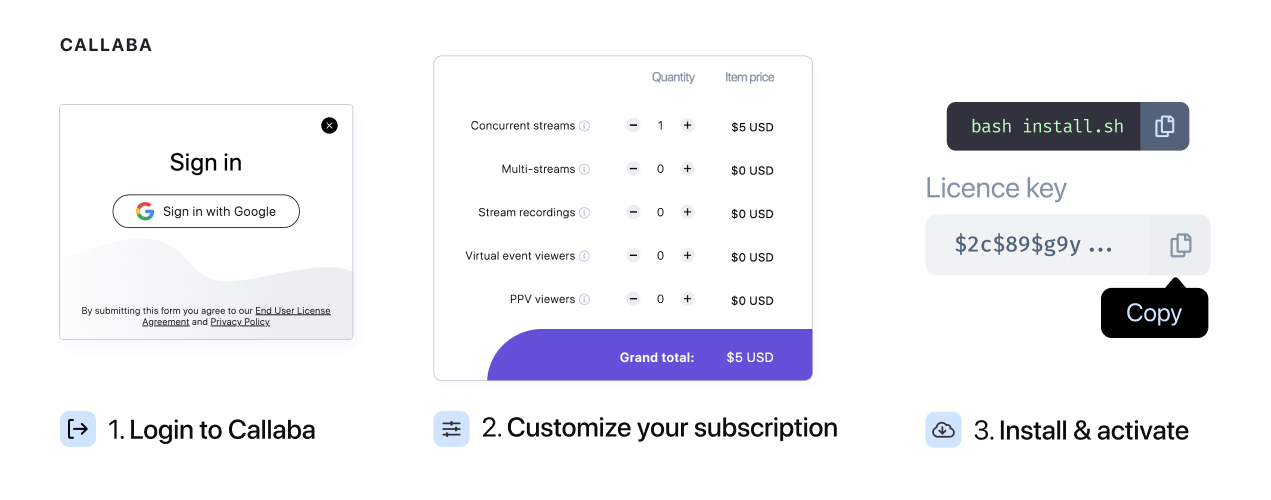
Choose the functions for that path
- Route: bring in or send out a feed with SRT Server, RTMP Server, or Multi-Streaming.
- Mix: use Video Mixer to build a Preview, take it to Program, and send supported SRT, RTMP, or NDI outputs.
- Monitor: use Multiview to watch selected feeds.
- Record: add Live Video Recording when the program needs to be retained.
Available functions depend on the licensed deployment and the inputs, outputs, and capacity chosen for the host.
Install on Linux
Use the Linux self-hosted installation guide for the supported Ubuntu 22.04 or 26.04 x86_64 host and its CPU or prepared-NVIDIA path. It contains the current commands.
Before installation, name the owner for the host, storage, backups, updates, and network exposure. Budget those infrastructure and operating costs alongside the Callaba workflow.
Check the first path
Use OBS for a familiar first test, or send directly from an SRT- or RTMP-capable camera or encoder. OBS is not required. Check the feed on a Multiview board, or add it to a scene in Video Mixer. Check Preview before taking Program, then verify picture and audio at the output receiver.
A minimum of one paid module unit applies. Review the final amount, including any applicable tax or discount, at checkout.
Next steps
Once your first test works, continue with the guide for your SRT, RTMP, mixer, recording, or Multiview workflow.