
Sources & layers
Arrange source inputs, prepared media, and Callaba Video Call tracks in a scene.
CALLABA AV MIXER · 8.8
Build scenes in Preview, take them to Program, and keep publishing, recording, and source observation under one operator view.
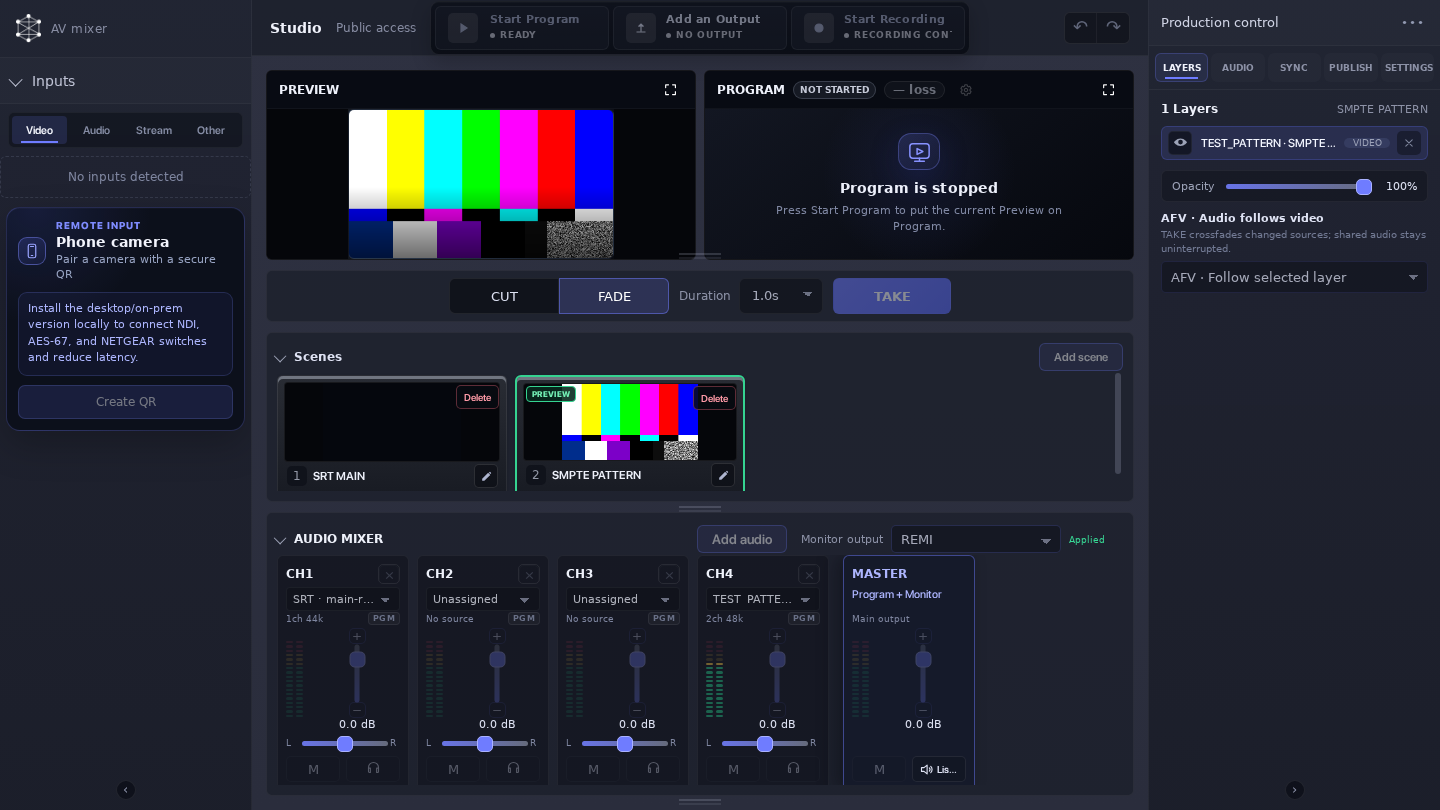
Build the next scene before it is on air. Preview is where you check the composition; Program is the scene currently carrying the programme.
Arrange source inputs, prepared media, and Callaba Video Call tracks in a scene.
Set up the next scene and check its visible layers.
Move Preview to Program with CUT or FADE when it is ready.
Run configured outputs and record Program or a selected output.
BUILD THE SCENE
Combine source inputs, prepared media, and Callaba Video Call tracks. Use layers to make the next shot, guest layout, or presentation view before taking it to Program. Select configured SRT or RTMP streams, NDI devices, browser cameras and screen sharing, remote participant tracks, phone cameras, and project media. Add microphone or system audio separately. Lighter viewing copies keep Preview responsive while original media remains available for Program and publishing.
RUN THE PROGRAMME
Control programme audio and watch its level indicators while the scene is live. Audio Follows Video and off-air monitoring help an operator check the programme and the listening path. Publish an SRT, RTMP, or NDI output, add or change a destination while Program is running, or stop publishing without stopping Program. Record Program or a selected output when the workflow calls for it.
Control programme audio alongside the live scene.
Publish the SRT, RTMP, or NDI output for the next delivery step.
Keep a recording of Program or the selected output.
Prepare the next scene, check the live programme, and make publishing decisions from the same operator view.
Create a reusable QR invitation for a phone camera, then revoke or replace it when that contribution should no longer be available. Treat the invitation as a credential and use reachable HTTPS for mobile capture.
Program and publishing are related but separate controls. A destination can be prepared or changed during Program, and a publish path can be stopped without ending the programme.
Choose landscape, vertical, square, or custom format, then watch Program fps, frame loss, output health, and available hardware capacity as you prepare the event.
AV Mixer is a software mixer for a production path that needs scene control. In the selected Callaba 8.8 deployment, confirm access, sources, outputs, network path, and recording target before the event.
Use Multiview to observe sources. Add AV Mixer when an operator needs to assemble and take a programme.
I only need to monitor or route feedsAPI
The reference covers saved configuration, Preview state, start and stop, takes, runtime, audio, outputs, and recording.
Read the AV Mixer API referenceOpen the demo, then map the sources, programme decision, monitoring, recording, and delivery steps for your event.
Runs in your AWS account or on your own infrastructure. AWS infrastructure charges apply.
TALK THROUGH YOUR PATH