

Related vendor hub
Browse all Panasonic SRT gateway workflows
Use the Panasonic hub to compare PTZ camera, camcorder, SRT, and RTMPS gateway setup paths.
For a Panasonic AG-CX10 SRT setup, use direct SRT only after confirming that your camera firmware exposes SRT settings. Use this setup when AG-CX10 is at the venue and Callaba is the cloud SRT receiver for monitoring, recording, routing, multiview, or restreaming. Public Panasonic sources are inconsistent for this model: some AG-CX10 manuals and specifications list RTSP/RTP, RTMP, RTMPS, and NDI|HX, while broader CX-series update wording refers to SRT. I would check the installed firmware and visible streaming menu before committing the event workflow.
Quick answer
To use Panasonic AG-CX10 with SRT, first confirm the firmware version and that the camera exposes SRT Client/Caller or Listener settings. With SRT-capable firmware installed, set AG-CX10 as the SRT Caller and send the stream to a cloud SRT Listener. In this guide, Callaba works as the SRT gateway, receiver, monitor, recorder, and routing layer. If the SRT menu is absent, update firmware first or use the confirmed RTMPS/RTMP fallback; use RTSP or activated NDI|HX through a bridge only when that is the planned design.
The camera sends one contribution feed into Callaba. After ingest, Callaba can preview, record, route, restream, and feed multiview in parallel, not as mandatory sequential setup steps.
- Panasonic AG-CX10SRT caller when menu exists
- Callaba GatewaySRT listener
- Preview
- Record
- Route
- Restream
- Multiview
What this setup does
The AG-CX10 is the camera-side source. Callaba is the cloud receiver: it listens for the contribution feed, shows the incoming bitrate and health, and then makes the same feed available for preview, recording, multiview, restreaming, routing, or API-controlled workflows. The SRT path is best when you need contribution over the public internet with packet recovery and controlled latency.
Because AG-CX10 public documentation does not present SRT consistently, this page treats SRT as a firmware-dependent path. If your unit does not show SRT settings, do not force the workflow; use RTMPS/RTMP directly to Callaba, or bridge RTSP/NDI|HX from a local machine.
What this model can and cannot do in this workflow
- Confirmed IP streaming in AG-CX10 documentation: RTSP/RTP, RTMP, and RTMPS with H.264/MPEG-4 AVC video and AAC-LC 48 kHz, 16-bit, 2-channel audio.
- SRT caveat: use direct AG-CX10 SRT only when the installed firmware and camera menu expose SRT settings. Public sources for this model are inconsistent, so the menu check matters.
- SRT Stream ID and passphrase: public AG-CX10 operating instructions do not clearly confirm exact SRT Stream ID, passphrase, encryption, latency, or caller/listener field names. If those fields are present, treat Stream ID and passphrase as case-sensitive and whitespace-sensitive.
- Resolution and codec: plan AG-CX10 network streaming as FHD/HD H.264/AAC. The camera has HEVC/H.265 for internal MOV/MP4 recording, but that is not the same as HEVC live contribution to Callaba.
- NDI|HX: AG-CX10 can be used as an NDI|HX1 source only after activation. Panasonic notes that camera upgrade license distribution ceased on Dec. 31, 2025, so confirm the actual unit is activated before relying on NDI.
- Local outputs: the camera has 3G/1.5G-SDI and HDMI Type A outputs. It is a source camera, not an SDI/HDMI input encoder for another camera.
- RTSP URL: the operating instructions show RTSP pull as
rtsp://<IP address>/stream, useful for LAN bridge workflows. - Similar-model warning: do not copy SRT expectations from AG-CX350 or AJ-CX4000 release notes into AG-CX10 without checking the AG-CX10 firmware menu; Panasonic grouped CX-series updates, but model-specific items differ.
Recommended workflow
For an AG-CX10 SRT gateway workflow, make Callaba the public SRT Listener and make the camera the SRT Caller when the camera exposes that mode. This avoids inbound firewall rules at the venue. The camera calls out to the cloud IP and UDP port, and Callaba receives the contribution feed.
If you need to reverse the SRT roles, test it well before the event. A camera-side listener usually means the venue must allow inbound UDP traffic to the camera through NAT, firewall rules, or port forwarding. That is rarely the simplest first choice for a remote venue.
When not to use this setup
If the camera and switcher are in the same room, SDI or HDMI may be simpler than cloud contribution. If the only destination is a public platform and you do not need Callaba monitoring, recording, routing, or multiview, RTMP/RTMPS from the AG-CX10 may be enough. If SRT is missing from the installed firmware, RTMPS/RTMP is the first fallback. Use RTSP or activated NDI|HX through a local bridge when your production design already includes a computer or converter on the same LAN.
Before you start
- Update or confirm AG-CX10 firmware and check whether the streaming menu shows SRT settings.
- Confirm whether your unit has NDI|HX activated before choosing an NDI bridge.
- Use an FHD/HD streaming format for network contribution; do not assume UHD live streaming from the AG-CX10 IP menu.
- Open the required UDP port for SRT from the venue to Callaba. For RTMPS fallback, test outbound TCP 443 and certificate behavior.
- Confirm compatible SRT versions if handshakes fail. Use the camera firmware notes or vendor support for the device side, and Callaba release/build information for the gateway side.
Create Callaba ingest
In Callaba, create an SRT server and choose a UDP port. If your camera menu includes Stream ID or passphrase fields, enter the matching values in Callaba and copy them carefully. A copied newline, trailing space, or changed capitalization can break the SRT handshake.
For the first internet test, use 250–500 ms SRT latency unless your confirmed camera menu gives a better default. After the stream is stable, reduce latency only after watching RTT, packet loss, retransmits, bitrate, and connection uptime.
Configure the camera
On the AG-CX10, open the network streaming area and choose SRT only if the menu is visible. Enter the Callaba public host or IP, UDP port, and any required Stream ID or passphrase exactly as configured on the Callaba SRT server. Start with H.264/AAC in an FHD or HD profile.
If the camera does not show SRT, do not create fake SRT fields. Switch to the AG-CX10 RTMP/RTMPS destination URL workflow, or pull rtsp://<camera IP>/stream from a LAN bridge and send SRT or RTMP from the bridge to Callaba.
Settings table
| Where | What to do / field to fill | First-test value | Why / check |
|---|---|---|---|
| Callaba SRT server | Create listener and choose UDP port | Use an open high UDP port | Camera calls out to Callaba; confirm incoming bitrate appears. |
| Callaba SRT server | Stream ID, if used | Short unique ID | Must match camera exactly; avoid hidden spaces. |
| Callaba SRT server | Passphrase, if enabled | Use a test passphrase first | Must match camera exactly; check encryption support in camera firmware. |
| AG-CX10 streaming menu | SRT destination host/IP, if SRT menu exists | Callaba public IP or DNS name | Do not use private LAN IP for cloud ingest. |
| AG-CX10 streaming menu | SRT destination port, if SRT menu exists | Same UDP port as Callaba | Firewall must allow outbound UDP. |
| AG-CX10 streaming format | Video codec and size | H.264 FHD/HD | Matches documented AG-CX10 network streaming behavior. |
| AG-CX10 RTMP/RTMPS fallback | Receiver URL | Callaba RTMP or RTMPS ingest URL | Use when SRT menu is not available. |
| LAN bridge fallback | RTSP source URL | rtsp://<camera IP>/stream | Use only from a machine that can reach the camera on the LAN. |
Monitoring
In Callaba, check preview, incoming bitrate, connection uptime, RTT, packet loss, retransmits, and audio meters. On the camera side, confirm that streaming is actually running and that the selected recording or streaming format is allowed. If video arrives without audio, check the AG-CX10 audio source selection and AAC settings, then confirm audio meters in Callaba.
Failover and local ingest options
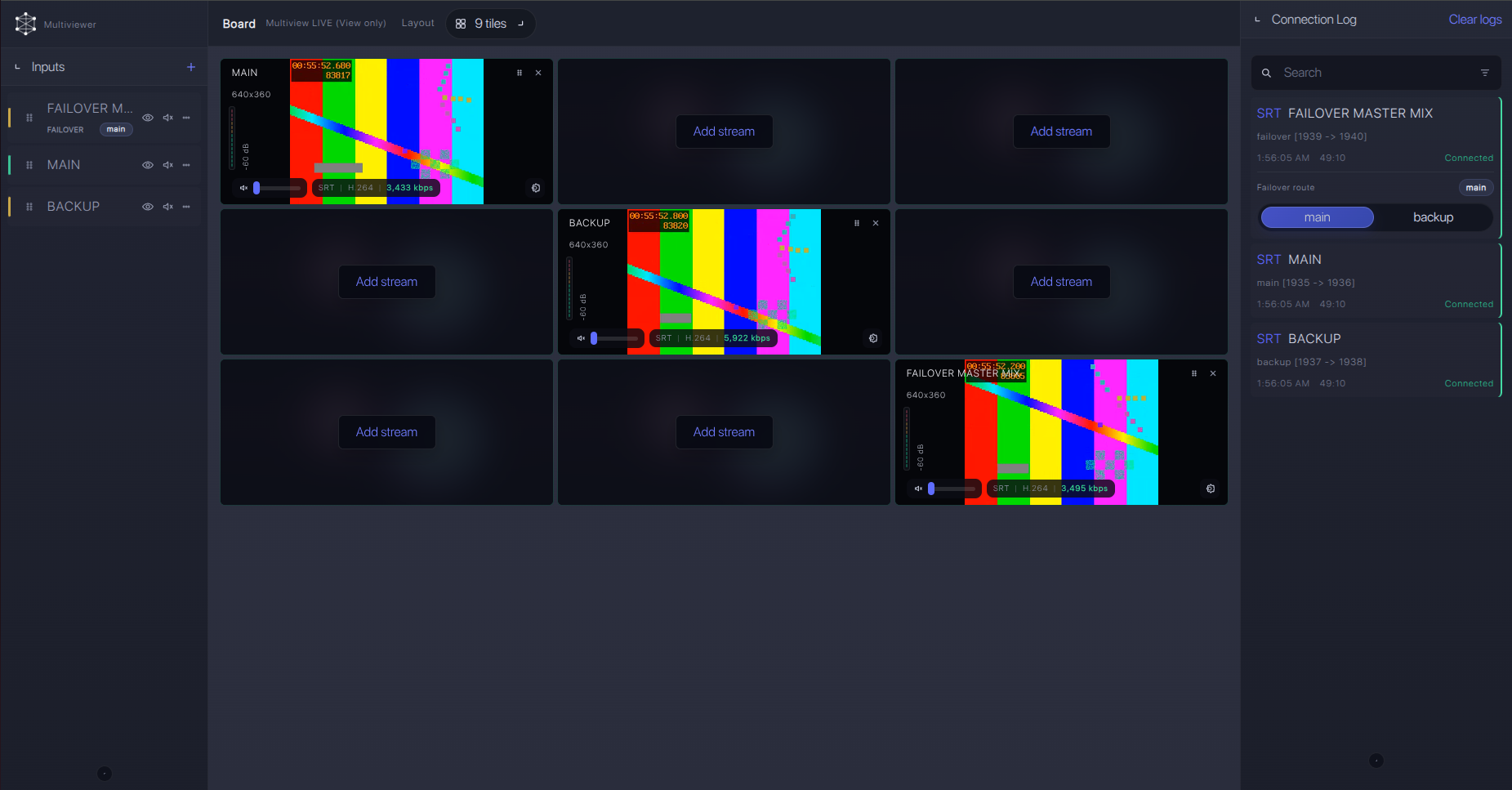
For production events, plan what happens if the main encoder, venue uplink, or primary contribution path fails. Callaba can be part of that continuity plan without changing the basic Panasonic AG-CX10 ingest workflow.
Recording and playback
After Callaba receives the AG-CX10 feed, recording and playback are downstream options. You do not need to record before routing or restreaming; preview, recording, multiview, routing, and playback can be configured as parallel uses of the same ingest. For critical events, run a timed recording test and play it back before going live.
Troubleshooting
| Symptom | Check in Callaba | Check on device | Likely fix |
|---|---|---|---|
| No SRT connection | No connection uptime or incoming bitrate | Firmware version and visible SRT menu | Update firmware if appropriate, or use RTMPS/RTMP fallback. |
| SRT handshake fails | Listener port, Stream ID, passphrase, logs | Copied values, capitalization, hidden spaces | Re-enter credentials manually and confirm compatible SRT versions. |
| Connects but drops | RTT, packet loss, retransmits | Venue uplink and Wi-Fi/USB-LAN stability | Raise latency, lower bitrate, or move to wired network. |
| RTMPS fallback fails | RTMP/RTMPS ingest status | Receiver URL format and outbound TCP access | Test RTMP first, then RTMPS with firewall/certificate checks. |
| RTSP bridge cannot pull | Bridge input status | Camera IP and /stream URL | Keep bridge and camera on same LAN; verify RTSP port. |
| NDI source missing | Bridge sees no NDI source | NDI|HX activation and wired LAN mode | Confirm activation; avoid assuming every AG-CX10 unit has NDI enabled. |
Official references
These are the most useful public references for checking the AG-CX10 before a production day.
Vendor references
- Panasonic AG-CX10 specifications
- Panasonic AG-CX10 features
- Panasonic AG-CX10 operating instructions
- Panasonic AG-CX10 firmware update service
- Panasonic CX Series firmware update release
- Panasonic NDI upgrade support notes
Protocol references
Callaba resources
FAQ
Can the Panasonic AG-CX10 send SRT directly to Callaba?
Use direct SRT only when your AG-CX10 firmware and menu expose SRT settings. Some public AG-CX10 documents list RTSP/RTP, RTMP, RTMPS, and NDI|HX, while broader CX-series material creates ambiguity. Confirm the exact unit before the event.
Should AG-CX10 be the SRT caller or listener?
For cloud contribution, make the camera the caller and Callaba the listener when the camera supports that mode. Listener mode on the camera is an advanced fallback because it may require inbound UDP access at the venue.
What if the SRT menu is missing on AG-CX10?
Update firmware if the vendor documentation for your unit supports it. If SRT is still absent, use RTMPS/RTMP to Callaba, or bridge RTSP/activated NDI|HX from a local machine.
Does AG-CX10 support SRT Stream ID and passphrase?
The public AG-CX10 operating instructions I would rely on do not clearly document exact SRT Stream ID or passphrase fields. If your firmware exposes them, match Callaba exactly and watch for case and whitespace errors.
Can I stream HEVC/H.265 from AG-CX10 to Callaba?
Do not assume HEVC live streaming. AG-CX10 documentation includes HEVC for internal recording, while network streaming evidence points to H.264 video with AAC audio.
Is NDI|HX a better path than SRT for this camera?
NDI|HX can be useful on a local wired LAN if the AG-CX10 is activated. For internet contribution to Callaba, SRT is usually the cleaner path when the camera firmware supports it; otherwise use RTMPS/RTMP or a planned bridge.
Next steps
Before the production day, run a complete ingest test from the same network you will use on site. Confirm firmware, SRT caller/listener direction, Stream ID, passphrase, codec settings, audio meters, and Callaba stream statistics. If any SRT field is absent on the camera, move to the documented RTMPS/RTMP fallback instead of troubleshooting a menu that is not present.
