VITEC MGW Ace Encoder SRT setup: send SRT to Callaba Gateway
More live video workflow notes and product updates.

VITEC MGW Ace Encoder integration
Build an SRT contribution path whose codec, connection role, and recovery behavior are known before airtime
The MGW Ace Encoder can originate an AVC/H.264 or HEVC/H.265 contribution and establish SRT sessions as Caller, Listener, or Rendezvous. Callaba can receive that contribution, expose the live transport to an operator, and use the accepted feed for monitoring, recording, routing, or a controlled onward output. The reliable workflow begins by choosing one connection role and one codec for a specific network boundary—not by enabling every available mode.
A practical first connection
For an encoder at a venue or remote facility sending to a reachable Callaba deployment, start with MGW Ace as SRT Caller and Callaba as Listener. The encoder initiates outbound UDP toward a stable Callaba address and port. This usually makes the venue firewall simpler and keeps the public listening surface on infrastructure the receiving team controls.
Choose AVC when broad downstream compatibility is the priority. Choose HEVC when the complete chain has been verified to decode it and the bandwidth benefit is useful. A codec supported by the encoder but rejected by a recorder, player, or final destination is not a working contribution profile.
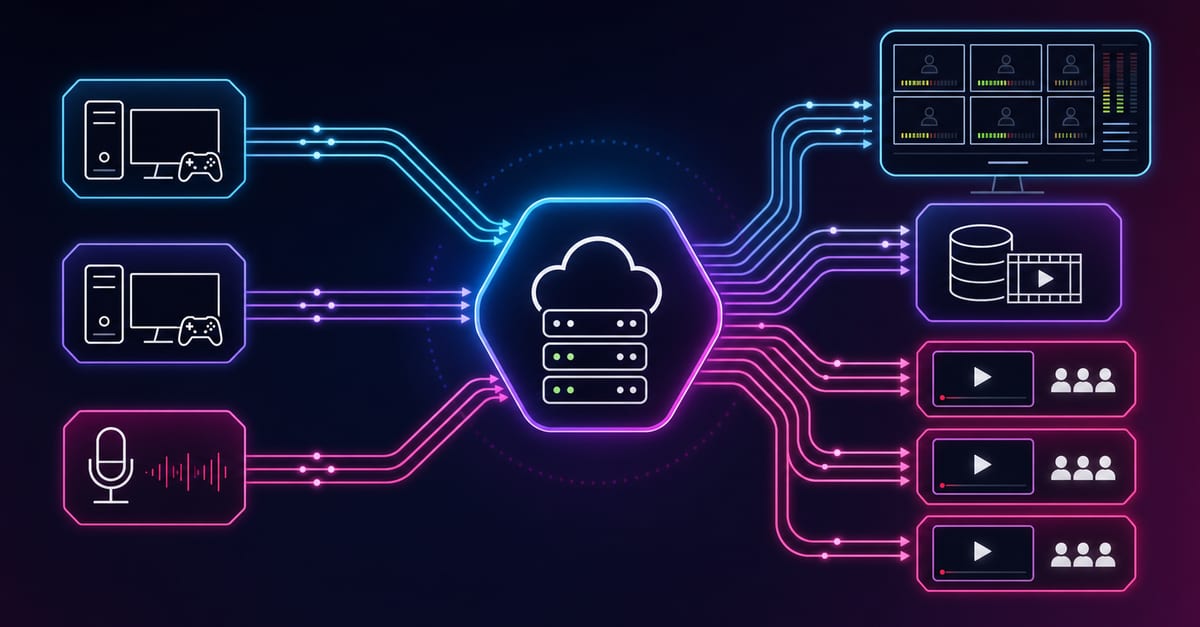
The second lane represents a separately engineered alternate path, not automatic bonding or guaranteed failover. The markers do not represent measured delay. Animation is disabled when reduced motion is requested.
Choose the SRT role from the reachable side
Caller, Listener, and Rendezvous describe session establishment. They do not reverse the media direction: the MGW Ace remains the encoder sending the program. Use the simplest mode permitted by the network and record the decision in the event runbook.
| Network situation | MGW Ace | Callaba | Operational reason |
|---|---|---|---|
| Typical venue-to-cloud contribution | Caller | Listener | The encoder makes an outbound connection while the receiving endpoint stays stable. |
| Private network with controlled access to the encoder | Listener | Caller | Callaba can reach a deliberately exposed listener on the appliance. |
| Tested peer-to-peer boundary | Rendezvous | Rendezvous | Both sides and the NAT/firewall behavior have been rehearsed for simultaneous negotiation. |
| More than one destination | Use only the documented multi-destination capability of the installed build | Give every receiving session a visible identity | Aggregate bitrate, destination count, and shared network limits must be measured rather than inferred. |
Rendezvous is not a universal cure for difficult NAT. If both endpoints sit behind policies that block the required UDP exchange, simultaneous negotiation does not create permission. Caller-to-Listener remains the clearest first test for most public-cloud deployments.
Freeze the media contract before configuring transport
The official MGW Ace material documents AVC/H.264 and HEVC/H.265 encoding up to 1080p60. Select the actual input, raster, frame rate, audio program, codec, and target rate required by the receiving production. Then keep that profile unchanged while validating SRT. Changing the codec and the network contract at the same time makes a black picture impossible to diagnose cleanly.
HEVC can reduce the bitrate needed for comparable quality, but it narrows the set of compatible downstream systems and may increase decoding cost. Use it for constrained contribution paths only after the Callaba workflow, recorder, preview path, and final output have been exercised with real motion and audio. AVC remains the safer starting point when the same feed will reach mixed or older systems.
The product literature also documents professional audio and metadata handling. Select only the program elements required by the production and verify them after decode. A healthy SRT session can carry the wrong audio pair or omit data that a downstream system expected.
Configure the direct Caller workflow
- Identify the exact appliance state. Record the MGW Ace model, installed firmware, enabled options, source input, and the official manual or datasheet used for the build. Features introduced in historic release notes should not be presented as universal firmware requirements.
- Prove the source locally. Confirm input lock, moving picture, intended audio channels, raster, and frame rate before creating the SRT output.
- Prepare the Callaba listener. Create one SRT receiving endpoint with a stable host, UDP port, and approved access policy. Apply the matching cloud and host firewall rules.
- Choose identity and encryption. If the production uses a Stream ID or access rule, agree the exact value. Enable AES-128 or AES-256 only when both endpoints share the same supported setting and passphrase.
- Configure MGW Ace as Caller. Enter the Callaba host and port, preserve the approved codec profile, and start the output. Do not copy a destination from an unrelated event.
- Observe both ends. Require an established session on the encoder and sustained incoming bitrate in Callaba. Note the same timestamp on both systems if the connection fails.
- Decode and listen. Put the accepted feed in one Multiview tile or create a short recording. Inspect motion, audio selection, sync, and the expected codec.
Security and capacity are part of the path
SRT encryption protects media in transit only when the peers use a compatible algorithm and the same secret. The MGW Ace documentation lists AES-128 and AES-256 support. Keep passphrases out of screenshots and shared production notes, rotate exposed values, and limit the listener at the network edge where the event design permits.
Multi-destination delivery also has a real capacity cost. The VITEC datasheet documents multiple SRT destinations in supported operation and an aggregate throughput boundary in the documented configuration. Treat that as a product ceiling to verify on the exact appliance, not as a promise that every codec profile and destination combination will fit. Measure the total outgoing bitrate and preserve headroom for the network, encoder, and receiving systems.
Run an acceptance test that proves the program
- Source: verify stable input lock, moving detail, the correct frame rate, and every required audio channel.
- Session: confirm the agreed SRT role, address, port, identity, encryption policy, and a sustained connection on both endpoints.
- Media: watch at least several minutes of representative movement and listen through the complete decoded output.
- Recovery: interrupt the network path, restore it, and record how the encoder and Callaba reconnect. If an alternate path exists, test it separately.
- Recording: make a short recording, play it from the beginning and near the end, and confirm duration, audio, sync, and expected codec handling.
- Capacity: run all required simultaneous destinations and verify that aggregate bitrate and appliance load remain within the rehearsed envelope.
Troubleshoot the last boundary that still works
No SRT session
Confirm that one peer is Caller and the other Listener, then check the destination address, UDP port, firewalls, and whether the listener is already occupied. For Rendezvous, confirm both peers use that mode and the path was designed for it.
Handshake starts, then closes
Compare Stream ID, passphrase, encryption mode, and supported SRT behavior. Re-enter secrets rather than copying formatted text, and change one variable at a time.
Connected but no picture
Return to source lock and codec compatibility. Confirm that Callaba receives a plausible bitrate, then inspect the decoded Multiview or recording. A transport connection alone does not prove a decodable program.
Picture breaks during movement
Compare the encoded rate with the real network envelope, look for loss and recovery behavior, and test the same profile on one destination. Do not hide a capacity problem by changing several latency and codec controls at once.
Wrong or missing audio
Verify the selected input channels and encoding map on MGW Ace, then listen to the decoded Callaba output. Meters on the source do not prove that the intended pair reached the receiver.
Alternate path does not protect the show
Map shared power, switches, ISP links, and encoder state. Define who selects the program source and what evidence triggers the change; two configured sessions are not automatically a failover system.
Official references
- VITEC MGW Ace Encoder product page — product role and current vendor positioning.
- VITEC MGW Ace Encoder datasheet — codecs, formats, SRT roles, security, and capacity details.
Check capabilities against the exact appliance, firmware, licenses, and current documentation before an event. A historic release note describes a change at one version; it does not prove the state of an installed unit.
Put the MGW Ace feed on a visible receiving path
Create the Callaba SRT endpoint, prove one codec and one connection role, then use live telemetry and decoded media to accept the contribution before adding destinations.
Configure a Callaba SRT receiver