TVU MediaHub SRT setup: send SRT to Callaba Gateway
More live video workflow notes and product updates.

TVU MediaHub and Callaba handoff
Route a TVU cloud feed into a visible Callaba receiving workflow
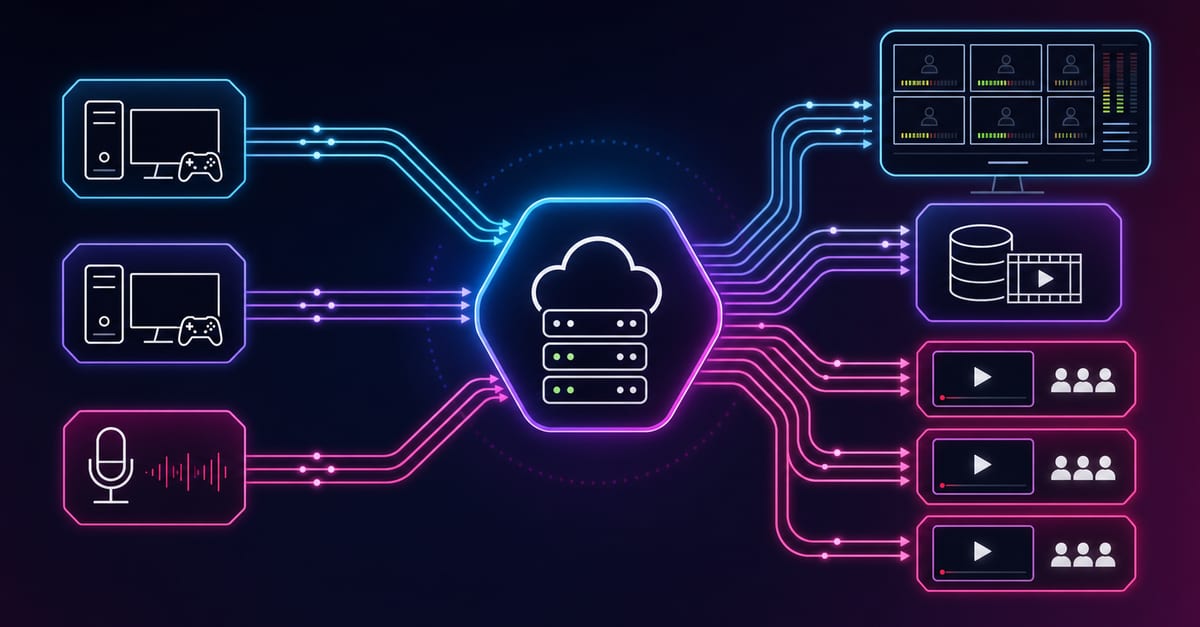
TVU MediaHub is a cloud routing environment, not a field encoder that should be configured like a camera-side appliance. It can receive, transform, route, record, and hand off live sources across supported IP formats. In the workflow described here, MediaHub owns the cloud route and originates or accepts the SRT session; Callaba owns the receiving boundary, transport visibility, and the production jobs explicitly attached after ingest.
The cleanest starting path
For a MediaHub source that must enter Callaba, begin with MediaHub as SRT Caller and Callaba as SRT Listener. Create and start the Callaba listener first, then use its reachable host and UDP port in the MediaHub SRT destination. This gives the routing operator a single, understandable output and keeps the listening service on the receiving infrastructure.
If the network or account design requires MediaHub to listen instead, TVU also documents an SRT Listener form. In that design Callaba calls the MediaHub listener. Treat these as two alternative contracts, not two steps in the same route.
The animated dash shows the selected cloud route; it does not represent measured latency, automatic failover, or a particular TVU source type. Reduced-motion users see a static selected route.
Separate the two connection designs
TVU’s MediaHub API documentation exposes Caller and Listener URL forms. The host, port, and role must describe the same connection on both systems. Keep the original TVU unit explicit when copying values into an interface.
| Design | TVU documented form | Callaba role | What the operator verifies |
|---|---|---|---|
| MediaHub calls Callaba | srt://{host_name}?mode=caller&latency={microseconds} | Listener | The host value includes the intended reachable Callaba destination and the latency unit is microseconds. |
| Callaba calls MediaHub | srt://{custom-section}.tvustream.com:{60000-65000}?mode=listener | Caller | The assigned TVU hostname and selected port come from the current MediaHub route rather than an example. |
| SDI or ST 2110 handoff | Optional MediaHub edge layer | Depends on the named bridge | The edge appliance, baseband/IP format, and any SRT conversion are documented as separate boundaries. |
The braces above identify variables; they are not literal characters to paste into production. TVU expresses latency in microseconds in the documented API form. A value copied from an interface that displays milliseconds must be converted deliberately rather than treated as the same number.
Use MediaHub for the job it actually performs
MediaHub is useful when a TVU-associated source, a partner contribution, or another cloud input needs to be routed into a Callaba operation without returning the signal to a physical control room first. The platform’s published format matrix includes SRT, RTMP/RTMPS, RTSP, NDI, HLS, UDP, RTP with FEC, and transport streams. That breadth makes it a routing tool; it does not mean every input can be converted to every output with every codec and ancillary feature.
Choose SRT when the receiving boundary benefits from a connection-oriented, loss-recovery transport over an unmanaged network. Use a documented transport-stream or edge handoff when the surrounding facility already owns that format. Optional edge support for SDI and SMPTE ST 2110 should be named in the architecture instead of being attributed to the browser routing layer.
Do not present MediaHub as a venue encoder, HDMI device, or generic SRT appliance. Its strongest role in this integration is cloud-to-cloud and cloud-to-controlled-infrastructure routing, with each source, transformation, and destination visible to operators.
Build the MediaHub Caller to Callaba Listener path
- Identify the MediaHub source. Record the source name, owner, incoming format, codec, audio layout, expected availability window, and whether MediaHub performs any processing before output.
- Prepare Callaba. Create and start one SRT Listener with a reachable host and UDP port. Apply the required cloud, host, and network firewall rules.
- Create one MediaHub output. Select the intended source and configure the documented Caller URL against the Callaba destination. Enter latency using the unit required by the current MediaHub interface or API.
- Keep unverified controls out of the contract. Public material reviewed for this workflow does not establish exact passphrase, Stream ID, or codec fields for every MediaHub route. Use only controls shown in the active account and its current documentation.
- Start the route. Confirm that MediaHub reports the route as active and that Callaba sees the corresponding SRT session and sustained incoming bitrate.
- Prove decoded media. Place the source in a Multiview tile or make a short recording. Watch representative motion, listen to every required audio channel, and confirm sync.
Design the workflow around operational ownership
A useful runbook assigns each boundary to a team. The source owner proves the contribution entering MediaHub. The cloud-routing operator proves the selected source, any transformation, and the outgoing SRT state. The Callaba operator proves the receiving session and the downstream job. When these responsibilities are collapsed into “the cloud feed is broken,” troubleshooting begins from zero.
For regional feed exchange, use stable names that identify event, region, and role without exposing secrets. For remote production, decide whether Callaba records the clean contribution, the switched program, or both. For a rights-controlled route, close or remove the destination after the scheduled window and confirm that temporary credentials or network permissions are no longer active.
Acceptance test
- Source identity: the MediaHub route uses the intended live source, not a similarly named test or preview feed.
- Connection contract: one side is Caller, the other Listener, and the hostname, port, and latency unit match the current configuration.
- Media: picture, motion, audio layout, and sync are correct after Callaba decodes the received feed.
- Continuity: the route runs for the rehearsal window without unexplained restarts or bitrate collapse.
- Recovery: stop and restore the MediaHub output, then record reconnection time and any operator action required.
- Downstream proof: play back a Callaba recording or inspect the configured destination rather than accepting a green transport state alone.
- Ownership: the runbook names who investigates the source, MediaHub route, SRT boundary, and Callaba output.
Troubleshoot by system boundary
No session reaches Callaba
Check that the Callaba Listener is running and reachable, then compare the host and UDP port with the MediaHub Caller URL. Confirm that the account actually started the intended output.
The listener URL is rejected
Use the exact TVU-assigned hostname and an allowed port in the documented 60000–65000 range. Confirm that Callaba is configured as Caller for this alternative design.
Unexpected delay
Confirm whether the current control expects microseconds or milliseconds. Then separate source latency, MediaHub processing, SRT recovery, decode, and final playback instead of attributing the whole delay to one field.
Connected but black or silent
Verify the selected MediaHub source and any transformation, then inspect Callaba bitrate and decoded media. Check codec and audio compatibility using the active route’s documented settings.
Route returns after being stopped
Inspect MediaHub automation, schedule, redundancy policy, and API clients. Do not treat an automatically recreated route as a Callaba reconnection fault.
Edge feed behaves differently
Document the optional edge device, SDI or ST 2110 interface, and any conversion separately. The browser route and physical handoff are different failure domains.
Official references
- TVU MediaHub cloud router — product role, routing, monitoring, recording, analytics, and resilience positioning.
- TVU MediaHub datasheet — supported input/output formats and optional edge interfaces.
- TVU MediaHub API documentation — documented SRT Caller and Listener URL forms.
Confirm the active MediaHub interface and account capabilities before production. Cloud services and route controls can change independently of a static article.
Give the MediaHub route a receiving boundary operators can prove
Start with one Callaba listener and one MediaHub output. Accept the route only after transport state, decoded picture, audio, and recovery have all been observed.
Prepare the Callaba SRT receiver