Is OBS Free
More live video workflow notes and product updates.

Yes, OBS Studio is free to download and use. There is no subscription required to run core OBS features for streaming or recording. It is open-source software and is widely used by creators, educators, and production teams because it offers high control without licensing fees.
Use the bitrate calculator to size the workload, or build your own licence with Callaba Self-Hosted if the workflow needs more flexibility and infrastructure control. Managed launch is also available through AWS Marketplace.
Treat OBS as a tool, and process as the multiplier.
Consistently.
Is OBS Studio Really Free?
In practical terms, yes. OBS Studio is free for personal and commercial use in typical creator workflows. You can install it, configure scenes, stream to platforms, and record locally without paying a software license fee.
What you get in the free core:
- Scene and source management
- Live streaming to major destinations
- Local recording
- Audio mixer and filters
- Hotkeys and profile support
- Plugin ecosystem access
This makes OBS a strong starting point for most channels.
What “Free” Does Not Cover
Many beginners confuse software cost with total production cost. OBS may be free, but your full streaming stack may still require budget in these areas:
- Microphone, camera, lighting, and capture devices
- Reliable upload internet and network equipment
- Design assets, overlays, and alert tools
- Operator time for setup, troubleshooting, and moderation
- Delivery infrastructure when scaling beyond one platform
This distinction helps teams avoid underestimating operational complexity.
Is OBS Safe To Download?
OBS should be downloaded from trusted official sources to avoid bundled malware or modified builds. Search results can include mirrors and repackaged installers. Use known official distribution paths and verify release notes where possible.
Basic safety checklist:
- Download from trusted source domain
- Avoid “driver bundle” installers from unknown sites
- Keep OBS and GPU drivers updated in planned windows
- Test major updates before critical live sessions
Can You Stream Professionally With Free OBS?
Yes. Many professional creators and teams use OBS as a production client. The limitation is not the price; it is operational discipline. A reliable stream depends on repeatable processes, profile management, incident response, and clean audio/video pipelines.
Professional outcomes with OBS usually require:
- Versioned scene collections and output profiles
- Preflight checklist before each session
- Fallback profile for degraded network conditions
- Post-stream reviews to prevent repeated failures
OBS Free Vs Paid Streaming Software
Paid tools may provide easier onboarding, integrated templates, vendor support, or specific broadcast features. OBS often wins on flexibility and cost control, but it can require more setup effort and technical ownership.
Choose by workflow maturity:
- Use OBS when you want control and low software cost.
- Use managed paid tools when speed and support are more important than flexibility.
- Use hybrid models when teams need both rapid deployment and deeper customization.
How To Start Using OBS Efficiently
If you are new to OBS, keep setup simple first and expand gradually:
- Install OBS and run auto-configuration wizard.
- Create minimal scene set (Starting Soon, Main, BRB, Ending).
- Connect stream destination and validate stream key.
- Run private test and verify audio clarity.
- Only then announce your public stream.
For detailed setup, use how to set up OBS and how to use OBS Studio.
Hidden Costs Beginners Miss
Even when software is free, quality issues can create indirect costs:
- Audience drop-off from unstable playback
- Lost sponsor confidence after repeated incidents
- Extra hours spent on reactive troubleshooting
- Poor archive quality reducing long-tail content value
This is why process quality often matters more than tool price.
OBS Plugins: Free But Not Risk-Free
Many plugins are free, but each plugin increases maintenance and compatibility risk. Keep plugin inventory small and purposeful. Test plugin updates in rehearsal, not before a major event.
Practical rule: if a plugin does not directly improve viewer outcome or operator efficiency, remove it.
When OBS Alone Is Not Enough
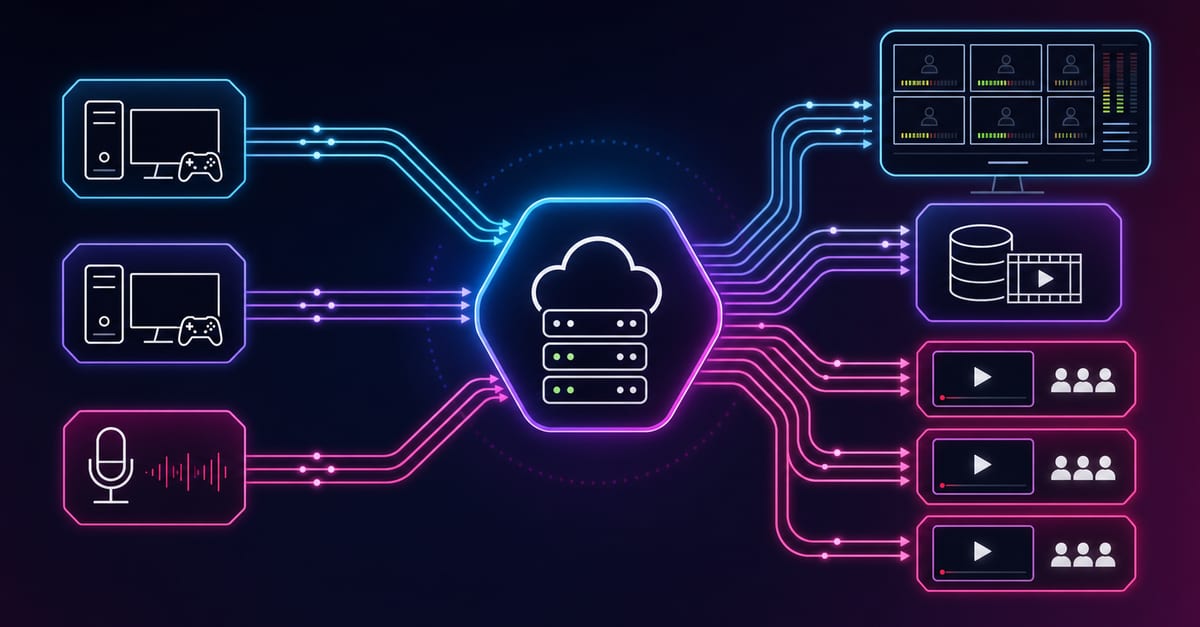
OBS can handle production well, but growing operations often need structured delivery and automation layers. Typical triggers for expansion:
- Need for multi-destination delivery at stable quality
- Recurring monetized events with access control
- Archive and replay workflows at scale
- API-driven orchestration across events
At that stage, evaluate multi-streaming, video on demand, pay-per-view streaming, continuous streaming, and video API.
OBS And SRT Workflows
If reliability requirements increase, SRT-based contribution paths can improve resilience in unstable network scenarios. For practical onboarding:
- how to start SRT streaming in OBS Studio
- how to receive SRT stream in OBS Studio
- OBS multiple streams
If comparing with alternatives, review sending and receiving SRT stream via vMix.
Operational Checklist For OBS Users
- Preflight: verify scenes, audio, encoder, stream destination
- Live: monitor dropped frames and external playback quality
- Recovery: apply one fallback change at a time
- Post-stream: log first failure signal and one improvement action
This routine helps free tools produce professional outcomes.
Keep all major changes logged with date, reason, and outcome. A simple change log quickly becomes a high-value diagnostic asset when incidents repeat under pressure.
KPIs That Matter More Than Tool Price
- Startup reliability under target threshold
- Continuity quality (buffering frequency and duration)
- Recovery speed after incident detection
- Operator response time to confirmed mitigation
Tracking these KPIs creates clearer progress than debating free vs paid labels.
Open-Source Reality: What It Means In Practice
Open-source does not mean unsupported chaos. It means the project is developed with transparent code, broad community contributions, and public release cycles. For teams, this has two practical effects: flexibility is high, and responsibility for testing changes remains yours. You are not locked into one vendor roadmap, but you also need disciplined update and validation processes.
For production teams, the right mindset is to treat OBS like any core dependency: version it, test it, and promote updates in controlled windows.
Update Strategy For Stable Operations
Because OBS is actively maintained, frequent updates can be tempting. Avoid updating right before important streams. A safer policy:
- Review release notes in advance.
- Test updates in rehearsal profile/scene collection.
- Keep one known-stable rollback package.
- Promote to production only after clean test session.
This process avoids live-day surprises from plugin incompatibility or changed rendering behavior.
Security Hygiene For OBS Environments
Free tools still require security controls. Stream key leaks, account compromises, and unsafe plugin sources can damage operations quickly. Use MFA on stream platforms, rotate keys after suspicious activity, and restrict who can edit profile settings on shared workstations.
If multiple people operate one setup, define clear ownership: who manages updates, who approves plugins, and who can execute emergency rollback. Most downtime in small teams comes from unclear responsibility, not lack of technical tools.
Cost Model: Free App, Paid Outcome
Even with zero license fee, production quality has ongoing cost centers:
- People: setup, operation, moderation, QA
- Infrastructure: internet, hardware, backups
- Reliability: rehearsal time and incident response effort
- Growth: archive, automation, and distribution expansion
Teams that plan these costs early usually scale cleaner than teams that assume “free software” means no operational budget.
Incident Playbook For OBS Users
Step 1: Detect
Identify whether issue is network (dropped frames), local render/encode overload, or source-level failure.
Step 2: Mitigate
Apply one rollback action only: lower bitrate, reduce FPS, or simplify source stack.
Step 3: Validate
Confirm viewer-side recovery from external playback, not just local preview.
Step 4: Stabilize
Freeze further experiments for current session and preserve continuity.
Step 5: Review
Log trigger, action, and result so next stream starts from better baseline.
30-Day Roadmap If You Start From Zero
- Week 1: install OBS, build minimal scene set, run test streams.
- Week 2: improve audio chain and stabilize output profile.
- Week 3: add moderation process and fallback profile rehearsal.
- Week 4: track KPIs and document one repeatable runbook.
This roadmap turns OBS from “just a free app” into a reliable operating workflow.
When To Add Managed Or Self-Hosted Layers
OBS remains valuable as a production client even when delivery stack matures. Move beyond OBS-only when your requirements include guaranteed playback for paid events, compliance constraints, or large concurrency windows where local-machine-only strategy is too fragile.
The key is layering: keep OBS for creation, add routing/playback/governance layers for reliability and scale.
Implementation Checklist For Teams
If you are introducing OBS into a team workflow, use this checklist:
- Define one baseline profile and one fallback profile.
- Create shared naming convention for scenes and sources.
- Assign update owner and release approval owner.
- Prepare incident channel and escalation contacts.
- Run one full rehearsal before every high-impact event.
Teams that follow this structure reduce avoidable production incidents and speed up onboarding of new operators.
Short Real-World Pattern
A common growth path looks like this: creators start with OBS because it is free, then hit consistency issues during audience growth, then stabilize outcomes by adding runbooks and layered delivery. The software did not change; process maturity did. This is why free tools can still support professional outcomes when paired with disciplined operations.
Pricing
OBS software cost is zero, but production architecture still requires planning. If you need fast managed deployment and procurement path, evaluate AWS Marketplace listing. If you need infrastructure ownership, compliance control, and self-managed cost structure, evaluate self-hosted streaming solution.
A practical strategy is phased: start with lean setup, validate demand and reliability, then expand infrastructure where business impact justifies it.
Budget planning should follow measurable quality targets and clear ownership.
FAQ
Is OBS 100 percent free forever?
OBS Studio core software is free to use. Your broader production costs depend on hardware, internet, and workflow complexity.
Do I need to pay for OBS plugins?
Many plugins are free, some tools around OBS are paid. Evaluate each addition by operational value and maintenance risk.
Can I use OBS for commercial streams?
Yes, OBS is widely used in commercial creator and event workflows. Process maturity determines results more than software price.
If OBS is free, why do some teams still pay for other tools?
Paid tools may reduce setup time or provide managed support. Teams choose based on speed, control, and operational ownership model.
Is OBS enough for multi-platform streaming?
For small setups, yes. At scale, dedicated routing/fan-out workflows usually improve stability and reduce local machine load.
What is the first thing to optimize in OBS?
Audio clarity and stream stability. Viewers forgive moderate visual compromise faster than clipped voice or buffering spikes.
When should I migrate beyond OBS-only architecture?
When reliability, monetization, or compliance goals demand structured delivery layers and predictable operational control.
Is OBS free on Windows, macOS, and Linux?
Yes, OBS Studio is available across major desktop platforms without core license fees. Platform-specific setup differences still apply.
Does “free OBS” mean I do not need tests before going live?
No. Testing is mandatory for quality. Free license reduces software cost, not incident risk.
Can OBS replace a full video platform?
OBS is excellent for production, but not always enough for routing, playback governance, and business-layer controls at scale.