H264 Codec
More live video workflow notes and product updates.

H264 codec is still the baseline for live streaming compatibility, but stable production results depend on profile, level, GOP cadence, bitrate ladder, and transport conditions, not on codec name alone. This guide explains how to use H264 for real event workloads with practical thresholds, recipes, and rollout steps. For managed ingest and route control, use Ingest and route. For controlled playback and VOD delivery, use Player and embed. For orchestration and automation, use Video platform API. Before full production rollout, run a Test and QA pass with Generate test videos and streaming quality check and video preview. Before full production rollout, run a Test and QA pass with a test app for end-to-end validation.
What it means definitions and thresholds
H264 in production means selecting encoding constraints that survive real traffic variance and device diversity. Define baseline thresholds before choosing presets.
- Encoder dropped frames below 0.5 percent over 10-minute windows.
- Startup to first frame below 5 seconds for standard HLS workflows.
- Average rebuffer ratio below 1 percent in core viewing regions.
- RTT drift alert above plus 30 percent from rehearsal baseline.
- No sustained encoder overload events during peak segments.
Pair codec tuning with transport visibility using round-trip delay and SRT statistics.
Use the bitrate calculator to size the workload, or build your own licence with Callaba Self-Hosted if the workflow needs more flexibility and infrastructure control. Managed launch is also available through AWS Marketplace.
Practical recipes at least 3 recipes
Recipe 1 Webinar and talk profile
- 1920x1080 at 30 fps
- H264 high profile, level 4.1
- CBR 4500 to 6000 kbps
- GOP fixed at 2 seconds
- AAC 128 kbps stereo, 48 kHz
Recipe 2 High motion profile
- 1920x1080 at 60 fps
- H264 high profile, level 4.2
- CBR 7000 to 9000 kbps
- GOP 2 seconds
- AAC 160 kbps stereo
Recipe 3 Constrained network fallback
- 1280x720 at 30 fps
- CBR 2200 to 3200 kbps
- GOP 1 to 2 seconds
- AAC 96 to 128 kbps
Practical configuration targets
- Rate control CBR for predictable distribution behavior.
- Keyframe interval 1 to 2 seconds, fixed.
- B-frames 2 as default; reduce if latency objectives are strict.
- CPU sustained below 75 percent at peak.
- Alert on packet loss above 1 percent sustained for 60 seconds.
Cross-check bitrate assumptions with video bitrate and encoding compatibility with video codec basics.
Limitations and trade-offs
- Higher bitrate improves detail but raises failure risk on weak links.
- Longer GOP improves compression but slows recovery from loss.
- Aggressive presets can overload CPU and increase drops.
- Single profile for all events increases operational incidents.
Common mistakes and fixes
Mistake 1 No backup route
Fix: Configure primary and backup contribution with tested failover trigger.
Mistake 2 Over-tuning for local preview
Fix: Optimize for encoded output metrics, not only local monitor image.
Mistake 3 Ignoring RTT drift before major events
Fix: Baseline RTT in rehearsal and alert on deviations.
Rollout checklist
- Run 30-minute soak test with real overlays and scene switching.
- Validate failover switch and operator runbook.
- Test startup and playback from at least two regions.
- Run packet loss simulation at 1 percent and 3 percent.
- Freeze profile versions before event day.
Example architectures
Architecture A social plus owned delivery
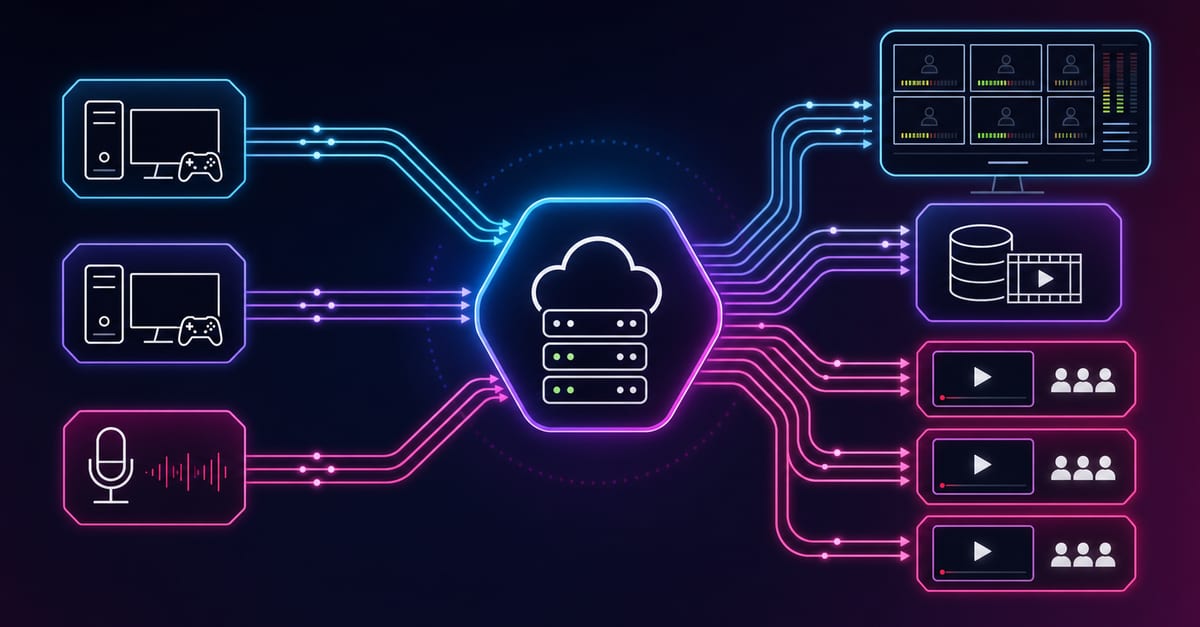
One contribution feed goes into centralized routing then fans out to social platforms and owned playback. This lowers encoder stress and simplifies monitoring in Ingest and route.
Architecture B private event and replay flow
Use Paywall and access for gated live sessions, then replay through Player and embed.
Architecture C API-managed operations
Manage stream lifecycle, templates, and incident actions with Video platform API.
Troubleshooting quick wins
- If quality drops with low CPU usage, inspect uplink and retransmission behavior first.
- If delay spikes, compare GOP cadence and player buffer updates in same interval.
- If audio artifacts appear, verify sample rate consistency and lower AAC bitrate.
- If reconnect loops appear, rotate credentials and verify endpoint policies.
Next step
Choose one event class, apply one approved H264 profile, and validate against startup, dropped frames, and RTT stability. Then add fallback profile and rehearse failover. Continue with best OBS settings, OBS stream workflow, and HLS streaming.