What Bitrate Should I Stream At
More live video workflow notes and product updates.

The question what bitrate should I stream at sounds simple, but in production it is a budgeting and reliability decision, not only a quality setting. Bitrate defines bandwidth pressure, startup behavior, failure sensitivity under packet loss, and delivery spend. This guide gives practical defaults, a way to choose by event type, and a rollout method that avoids support chaos. Before full production rollout, run a Test and QA pass with Generate test videos and streaming quality check and video preview. Before full production rollout, run a Test and QA pass with a test app for end-to-end validation.
What this article solves
Most teams copy one bitrate table and apply it everywhere. That usually fails because stream profiles for a webinar, esports match, product launch, and remote interview are fundamentally different. You need profile families and switching rules, not one static value.
Foundation: bitrate in real workflows
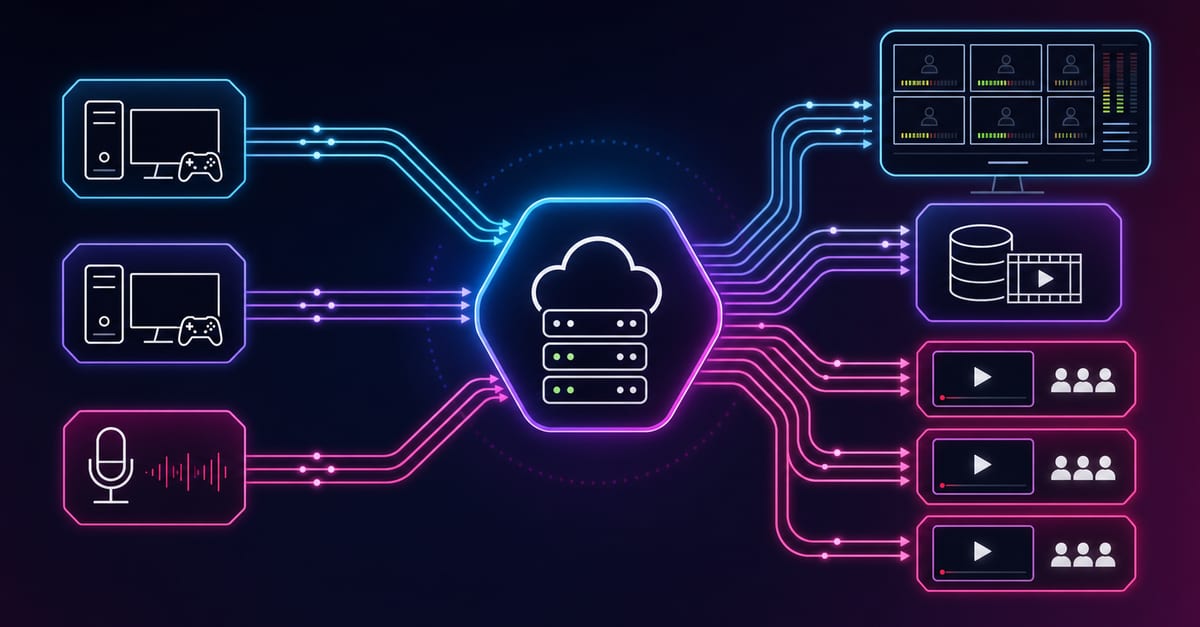
Bitrate is one variable inside a full delivery chain. Resolution, frame rate, GOP, codec, network jitter, and player buffer policy all shape the final outcome. If one of these is inconsistent, raising bitrate does not fix quality and may increase instability.
For teams defining distribution architecture, combine Ingest and route for contribution control, Player and embed for playback quality, and Video platform API for profile automation and repeatable operations.
Fast decision framework
- Start from audience reality. Measure expected median bandwidth and device class, not best-case office internet.
- Pick event profile family. Low motion talk show, mixed content webinar, or high motion gameplay/sports.
- Set bitrate range, not one number. Define normal range and emergency fallback profile.
- Rehearse with real assets. Test overlays, audio chain, scene switches, and guest joins.
- Attach switch criteria. If transport metrics cross threshold, downgrade profile by runbook.
Practical profile families
Profile A: talk show and webinars
- Typical target: 1080p30 with conservative bitrate range.
- Use when speech clarity and continuity matter more than micro-detail.
- Keep audio stable and monitor drift with audio bitrate.
Profile B: product demos and mixed scenes
- Typical target: 1080p30 or 720p60 depending on motion segments.
- Use when switching between slides, camera, and UI capture.
- Validate encoder behavior with best OBS settings.
Profile C: high motion streams
- Typical target: 720p60 with resilient fallback policy.
- Use when frame-to-frame change is high and loss sensitivity increases, including esports match commentary workflows with multilingual audio tracks.
- Track transport health via SRT statistics.
How to validate before going live
Run at least one 30-minute soak with full production assets and real operator workflow. Watch RTT trend, packet loss behavior, and recovery time after network disturbance. For RTT interpretation in incident context, use round trip delay.
Do not stop at average quality screenshots. Validate join latency, scene switch consistency, chat moderation latency, and failover outcome. If backup path is not proven, you do not have a production profile yet.
In production reviews, use three acceptance gates: technical stability, viewer experience, and operator recoverability. Technical stability means no sustained packet degradation under expected load. Viewer experience means startup and continuity meet your event class expectations. Operator recoverability means the team can execute fallback actions in under one minute without guessing.
Document these gates before event day and attach clear owners. This one practice reduces most post-event support disputes because everyone shares the same quality criteria and escalation thresholds.
Common mistakes and fixes
Mistake 1: One bitrate for all shows
Fix: maintain at least three profile families and select by event class.
Mistake 2: No tested backup route
Fix: configure primary and backup contribution and test trigger behavior in rehearsal. A practical setup is in SRT backup stream setup.
Mistake 3: Chasing visual quality over continuity
Fix: prioritize resilient playback. A stable stream with slightly lower sharpness usually outperforms interrupted high-detail output.
Mistake 4: Ignoring cost while tuning bitrate
Fix: attach bitrate changes to delivery spend forecast before event approval.
Use the bitrate calculator to size the workload, or build your own licence with Callaba Self-Hosted if the workflow needs more flexibility and infrastructure control. Managed launch is also available through AWS Marketplace.
If you need an egress baseline for finance and procurement, validate your assumptions on the official CloudFront pricing page. Then pick cloud, self hosted, or hybrid by support capacity and risk tolerance, not by isolated numbers.
Example cost logic for operators and finance
Use a rough traffic estimate first, then refine with platform telemetry:
Traffic TB = (bitrate Mbps × 0.00045) × viewers × hoursEstimated delivery cost = Traffic TB × blended egress USD per TB
Example: if your live stream averages 5 Mbps, with 1,500 viewers for 2 hours, estimated traffic is about 6.75 TB. At 80 USD per TB, delivery is roughly 540 USD before processing and operations overhead. This is enough to avoid surprise tickets and last-minute pricing confusion.
Second example: a weekly show at 3.5 Mbps, 700 viewers, 2 hours each, four times per month. Monthly traffic estimate is about 8.82 TB. With blended delivery at 80 USD per TB, monthly egress is around 706 USD. This allows teams to compare monthly cloud spend against fixed self hosted planning in a realistic way.
When finance asks why quality presets changed, show the scenario table instead of one static value. It creates transparent trade-offs between delivery quality, reliability margin, and monthly operating spend.
Rollout checklist
- Freeze three production profiles with clear names and switch criteria.
- Run rehearsal with full graphics and guest workflow.
- Simulate packet stress and verify fallback activation.
- Capture baseline RTT and packet trends for incident comparison.
- Document operator actions in a one-page runbook.
- Align finance and operations on expected monthly traffic range before scaling.
- Add post-event review notes to improve next profile selection cycle.
FAQ
Can one bitrate value work for all shows
No. Different event types have different motion and network profiles. Use profile families and validate with bitrate calculator.
Should I prioritize quality or resilience
Prioritize resilience first. Stable delivery wins over intermittent quality spikes. For low-latency tradeoffs, review low latency streaming.
What is the fastest way to improve outcomes
Use repeatable rehearsal, monitor transport metrics, and keep a tested fallback profile. For operational metric interpretation, continue with SRT statistics and round trip delay.