

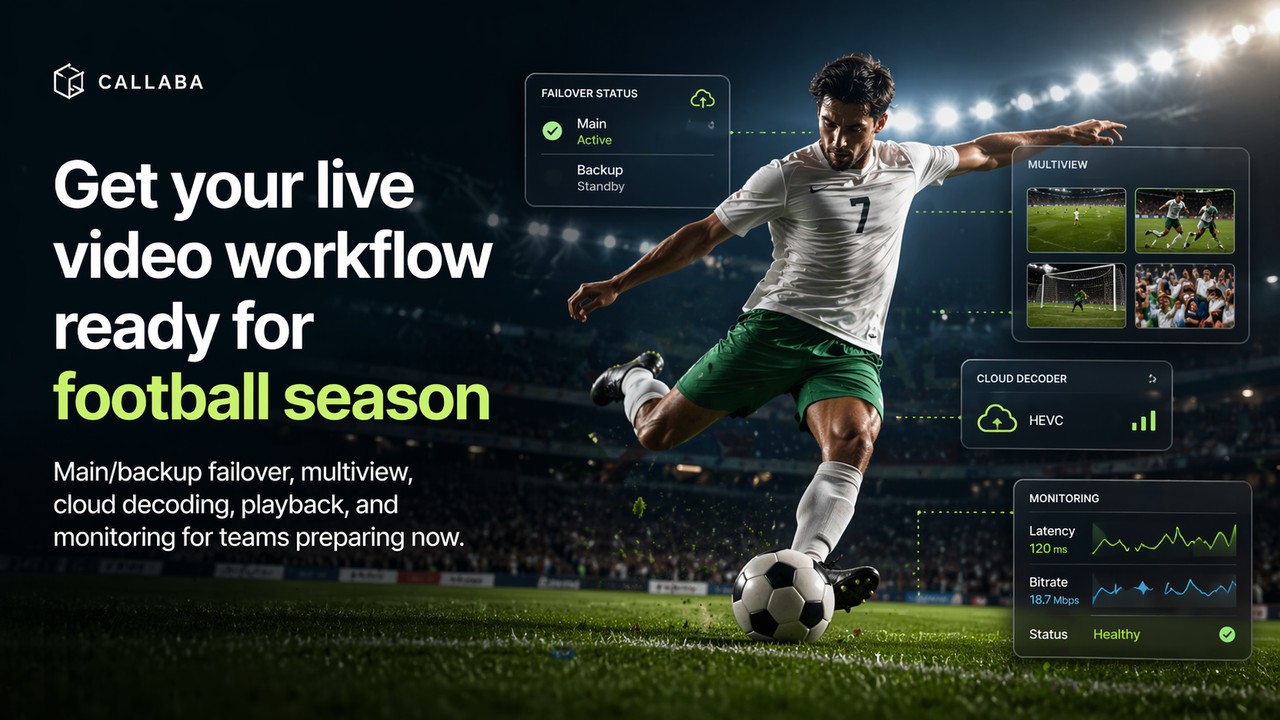
The biggest football events create pressure before the first whistle. Broadcasters, production teams, venues, agencies, clubs, and event partners are already checking contribution feeds, backup paths, playback pages, recorders, and monitoring views.
This is not the moment to rely on one stream path and hope it works. The safer plan is to build the workflow around failover, multiview, cloud decoding, routing, browser playback, recording, and live monitoring from the start.
Callaba helps teams prepare this kind of workflow in the cloud or in a self-hosted environment, so the setup can be tested before match day instead of fixed during the event.
Why teams should prepare the workflow now
Football coverage often looks simple from the outside. A camera captures the match, and viewers watch the stream. In practice, the workflow has more moving parts: on-field cameras, mobile cameras, sideline feeds, commentators, graphics, production outputs, web players, recorders, and internal monitoring.
When the event is close, the goal is not to add every possible tool. The goal is to make sure the critical paths are ready. The team needs to know what happens if the main feed fails, where the backup goes, who can see the feeds, which outputs are live, and how the stream is being monitored.
Start with main/backup failover
Main/backup failover should be part of the plan before the event starts. If the main contribution path drops or becomes unstable, the team should not have to rebuild routing in the middle of the match.
A good setup has a primary feed, a backup feed, clear switching behavior, and monitoring around both paths. This keeps the production team focused on the event instead of fighting the transport layer.
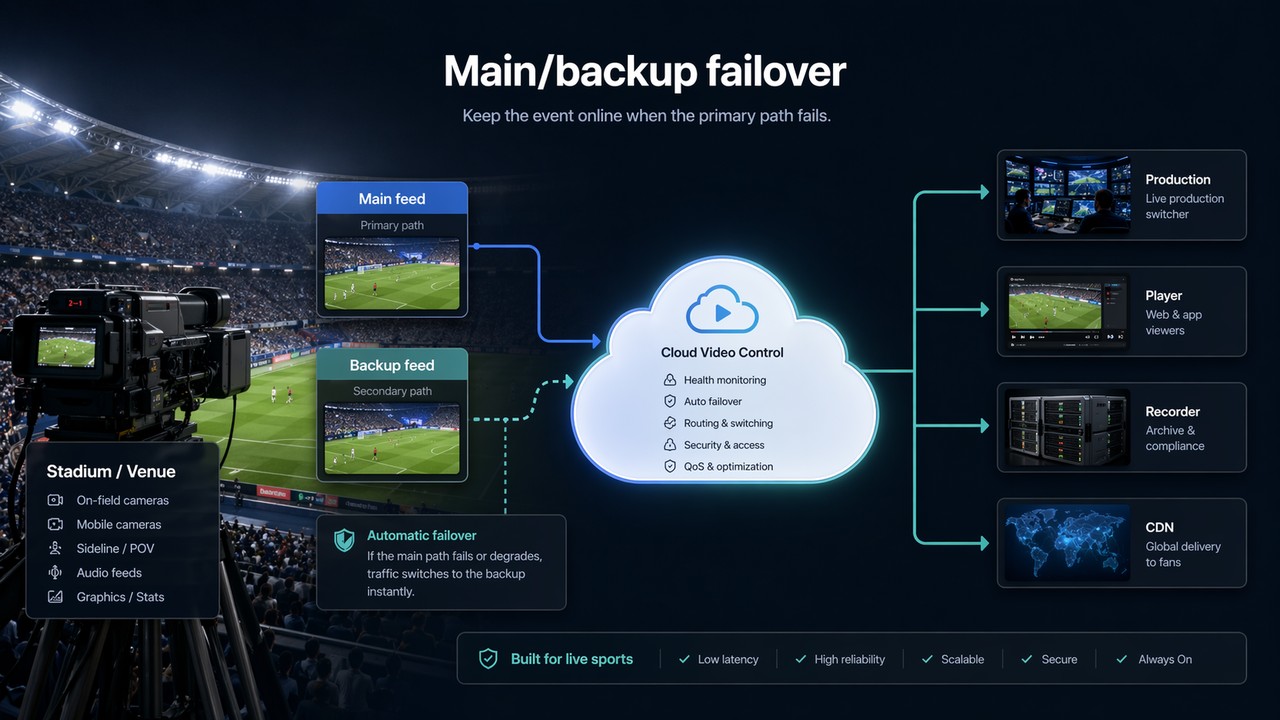
Test the main input, test the backup input, and test the switching behavior before the live event. Do not wait for the first real outage to learn how failover behaves.
Add multiview before kickoff
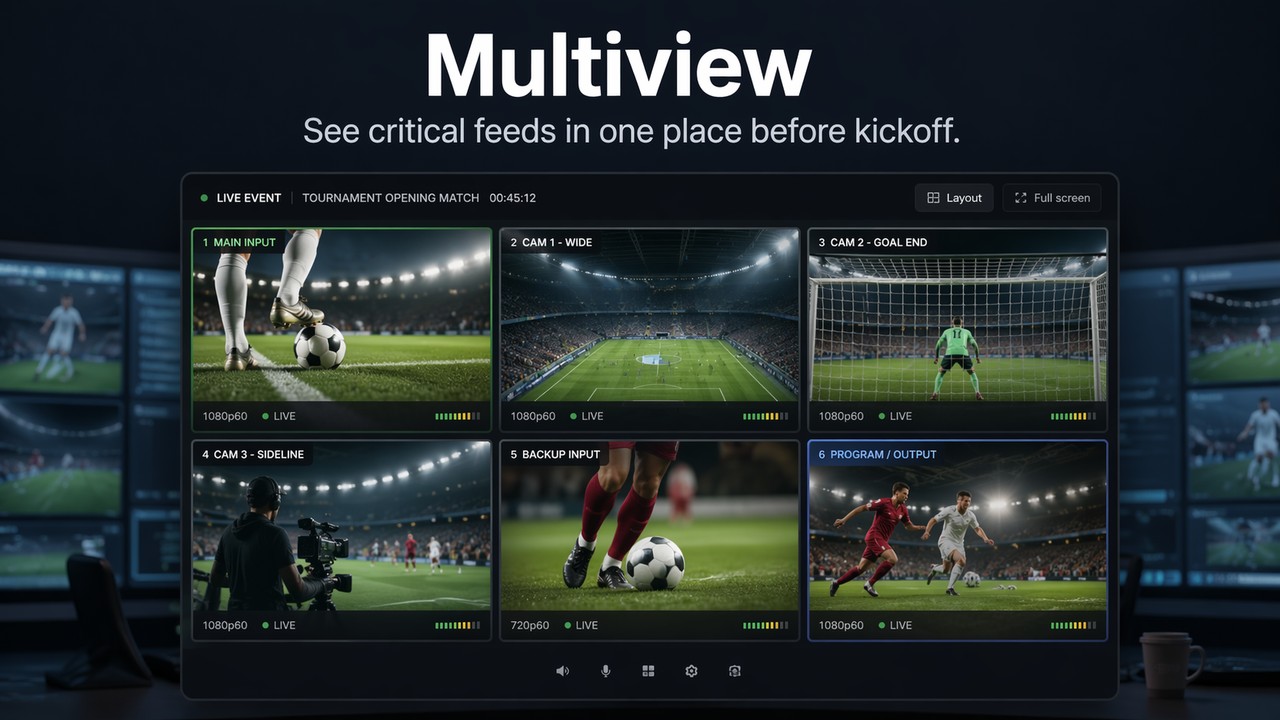
Multiview gives operators one place to watch critical feeds. This is useful for sports because the team may need to compare the main input, backup input, wide camera, goal camera, sideline camera, and final program output at the same time.
Without multiview, people often open many players, many browser tabs, or many separate screens. That creates delay and confusion. With multiview, the team can see what is happening faster.
Use a cloud decoder solution when local hardware becomes the bottleneck
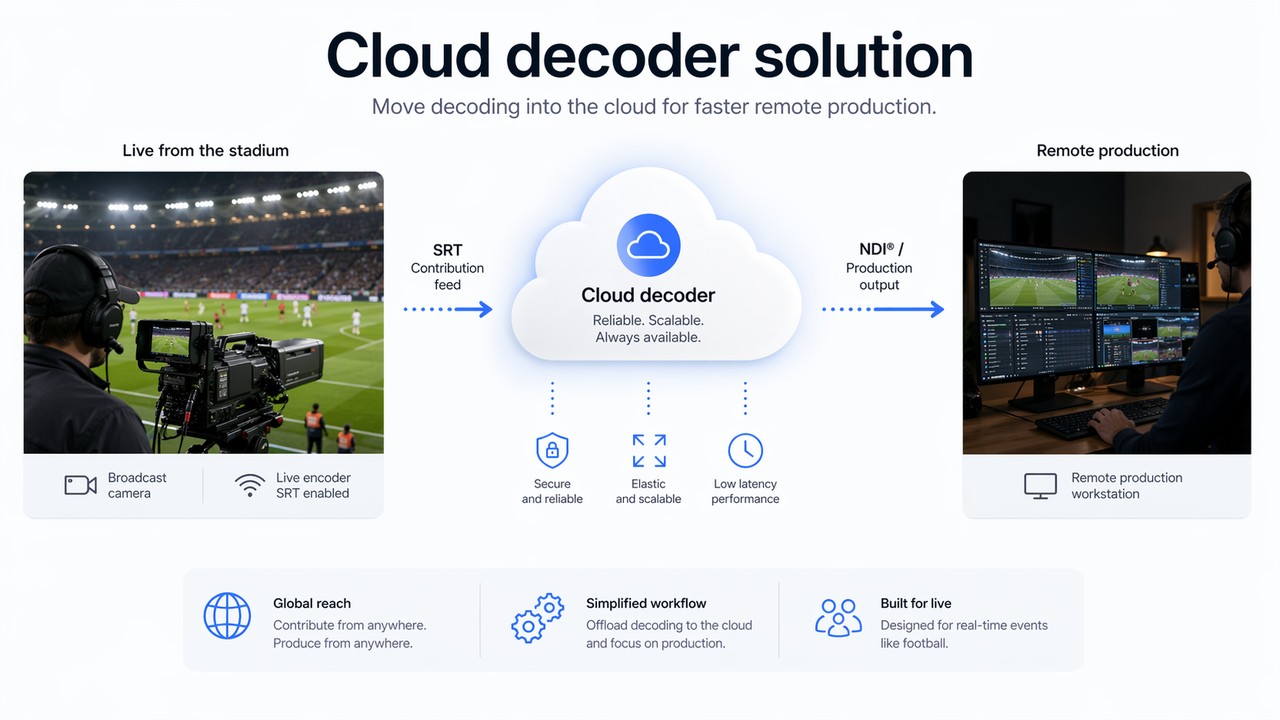
Some event teams do not want to keep all decoding work at the venue. This is especially true when feeds come from several locations or when the production team is remote. A cloud decoder solution lets the team receive the contribution feed, decode it in the cloud, and prepare it for production workflows.
With Callaba, this can mean receiving SRT and making the stream usable for production, routing, monitoring, browser playback, or recording. This helps reduce local complexity and gives distributed teams a cleaner way to work with live video.
Route one input to many outputs
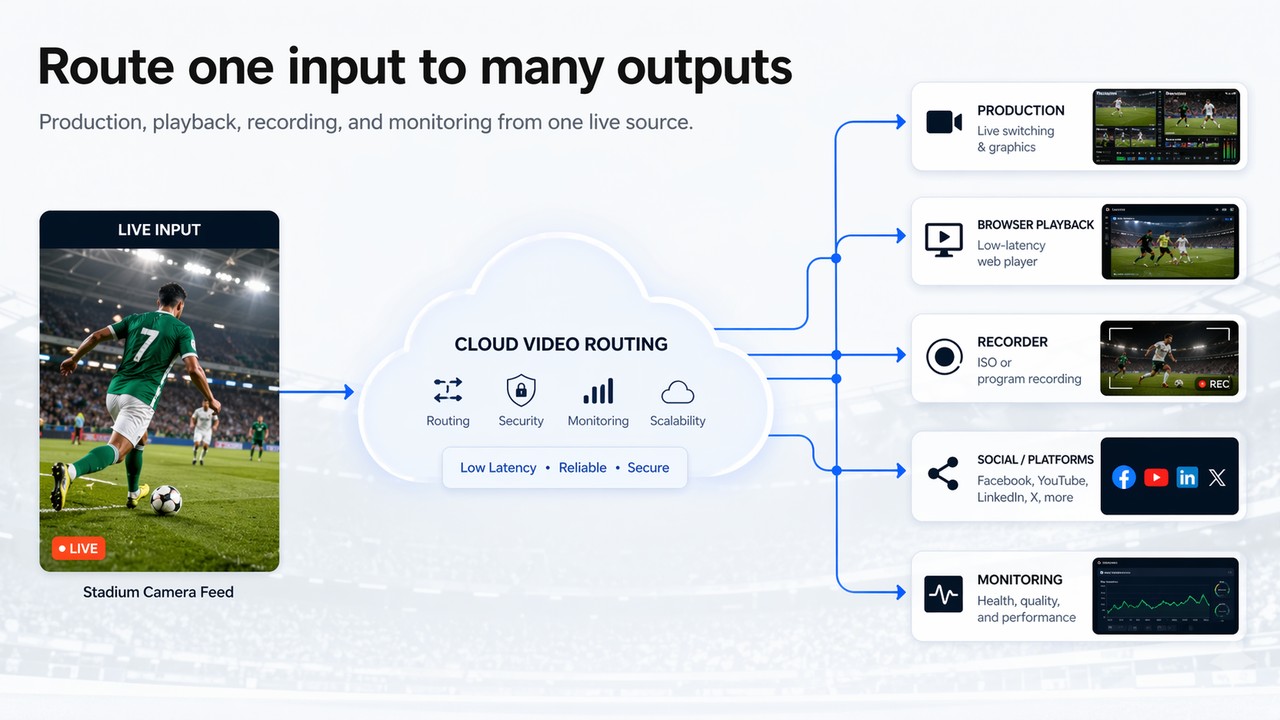
A single clean football feed may need to go to several places: production, browser playback, a recorder, a CDN, a partner feed, social platforms, or an internal monitoring view. This should not require rebuilding the workflow each time.
Callaba can help turn one live source into multiple controlled output paths. This is useful when the same match feed must serve production, viewers, archive, partners, and technical operators at the same time.
Make playback, recording, and monitoring part of the same plan
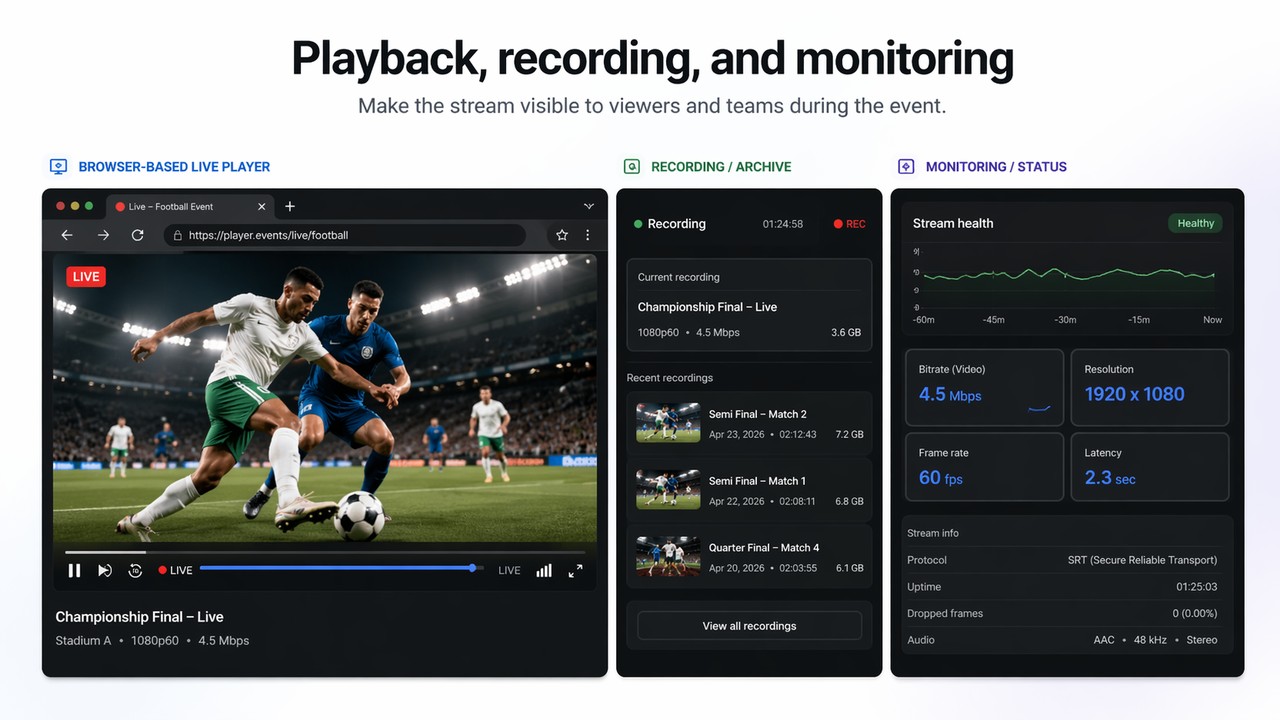
A football workflow is not finished when a signal reaches production. Teams often need a browser player for viewers or internal access, recording for replay or archive, and monitoring for stream health.
These parts should be tested together. The player should receive the correct output. Recording should start before the important moment. Monitoring should show bitrate, resolution, latency, uptime, and whether the stream is healthy.
How Callaba fits teams preparing now
Callaba is useful when a team needs more than a single stream from point A to point B. It helps build a full event workflow around SRT ingest, main/backup failover, multiview, cloud decoding, routing, browser playback, recording, and monitoring.
The same approach can work for a small match, a larger tournament workflow, a remote production team, a private monitoring setup, or a public live stream with a CDN behind it.
For production teams
Receive and route live feeds, prepare production-ready outputs, and watch critical sources in multiview.
For event operators
Set up main and backup paths, monitor stream health, and reduce last-minute manual switching.
For platforms and partners
Deliver the same source to playback, recording, CDN, internal review, or external destinations.
For remote teams
Move decoding and routing into a controlled cloud workflow instead of shipping more gear to every site.
Final checklist before match day
What to test before the event starts
- Main contribution feed is online and stable.
- Backup feed is connected and ready.
- Failover behavior is tested, not only documented.
- Multiview shows all critical feeds in one place.
- Cloud decoder output is available to the right production tools.
- One input can be routed to all required outputs.
- Browser playback works on the page where viewers or teams will use it.
- Recording starts correctly and files are available after the stream.
- Monitoring shows bitrate, latency, resolution, uptime, and stream status.
